Why ZettelFlow
Most plugins help you write. ZettelFlow helps you think.
The problem
Making a note is easy. Obsidian gives you templates, and the community gives you very good tools on top of them. What nobody does for you is what comes after the note exists: is this idea supported, is it contradicted, what is it missing, what did I write next to it six months ago and forget, and what is the one thing worth doing with it today?
That work splits in two:
- Mechanical work — filling the same properties, filing the note in the right folder, linking the obvious neighbours, listing what is missing. A tool should take this off your hands.
- Cognitive work — deciding what an idea means, whether a counter-argument holds, when a note is ready to move on. A tool should support this and never do it behind your back.
ZettelFlow is built on that line (the manifesto). It removes the first kind of work and protects the second: anything interpretive, from an AI proposal to a suggested connection, reaches your vault only when you accept it.
What you get
-
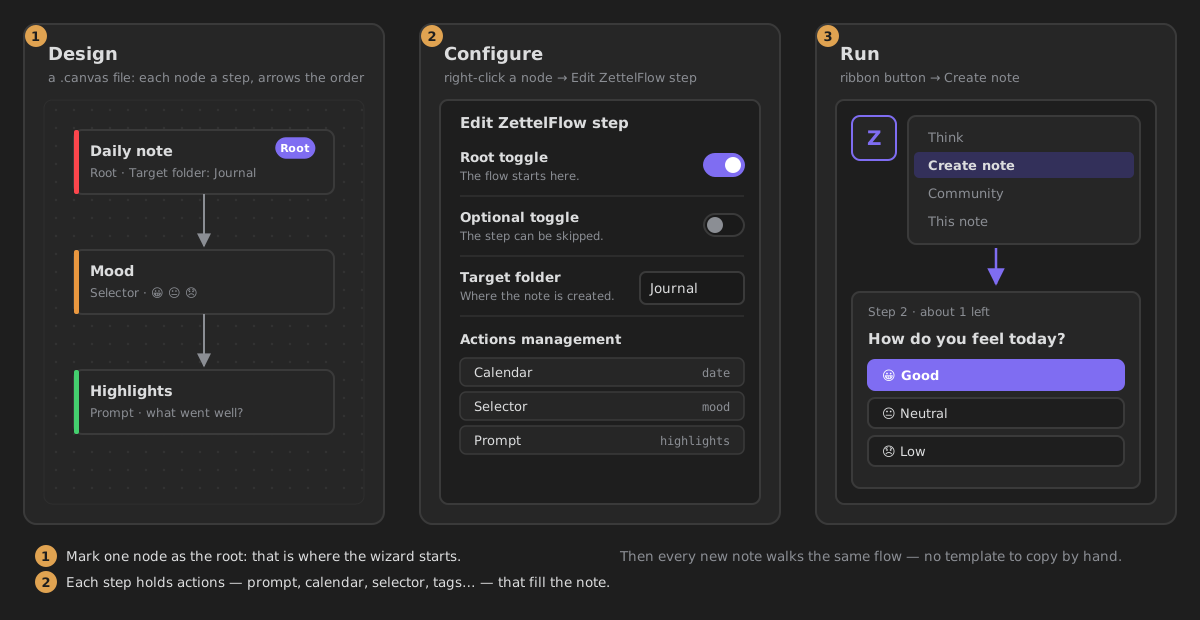
Flows you draw, not code you write
Each step of a note's creation is a card on an Obsidian Canvas, with arrows (and conditions) between them. Every new note walks it as a guided wizard.
-
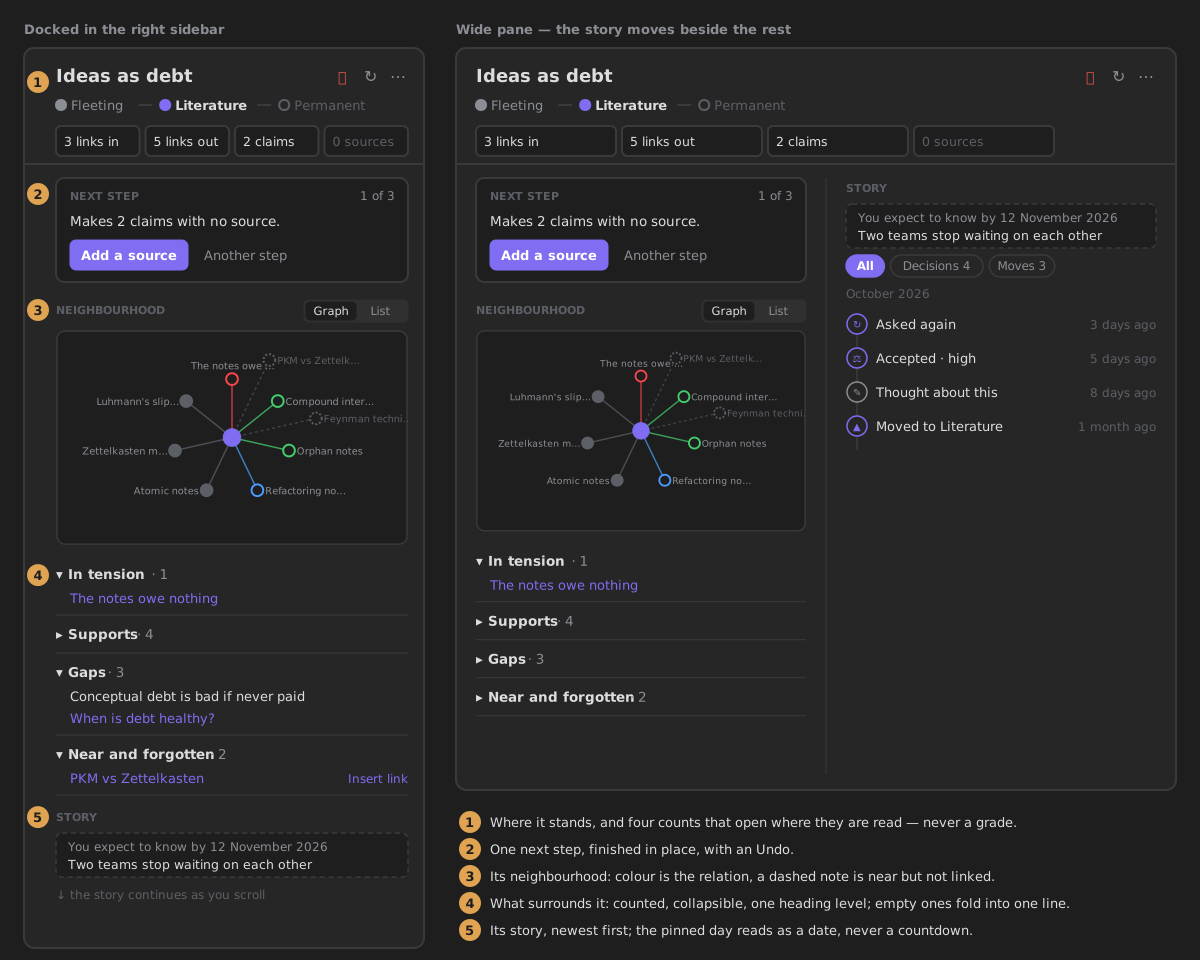
A companion beside every note
Where the note stands, what argues with it, what it is missing, its neighbourhood, its story, and the one next step, which you can finish without leaving the sidebar.
-
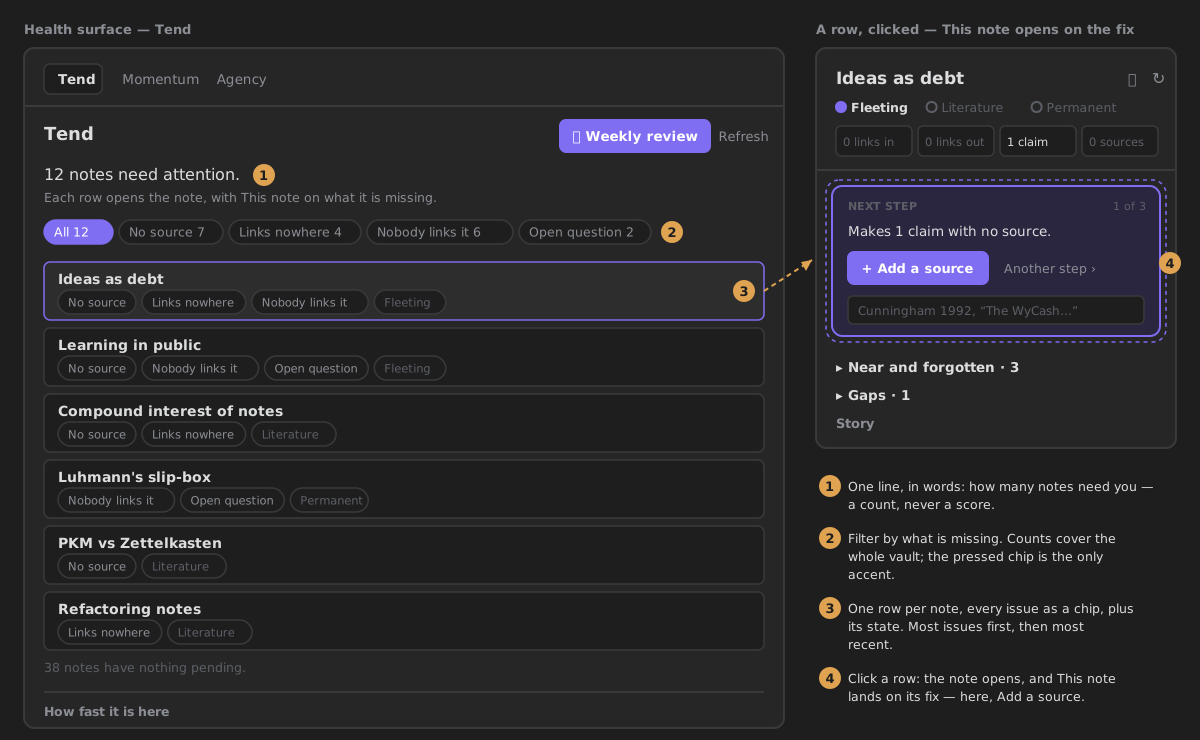
A vault that tells you where to look
Tend lists the notes that need you, each one click from its fix. Practice shows what you have been doing. Neither gives you a score.
-
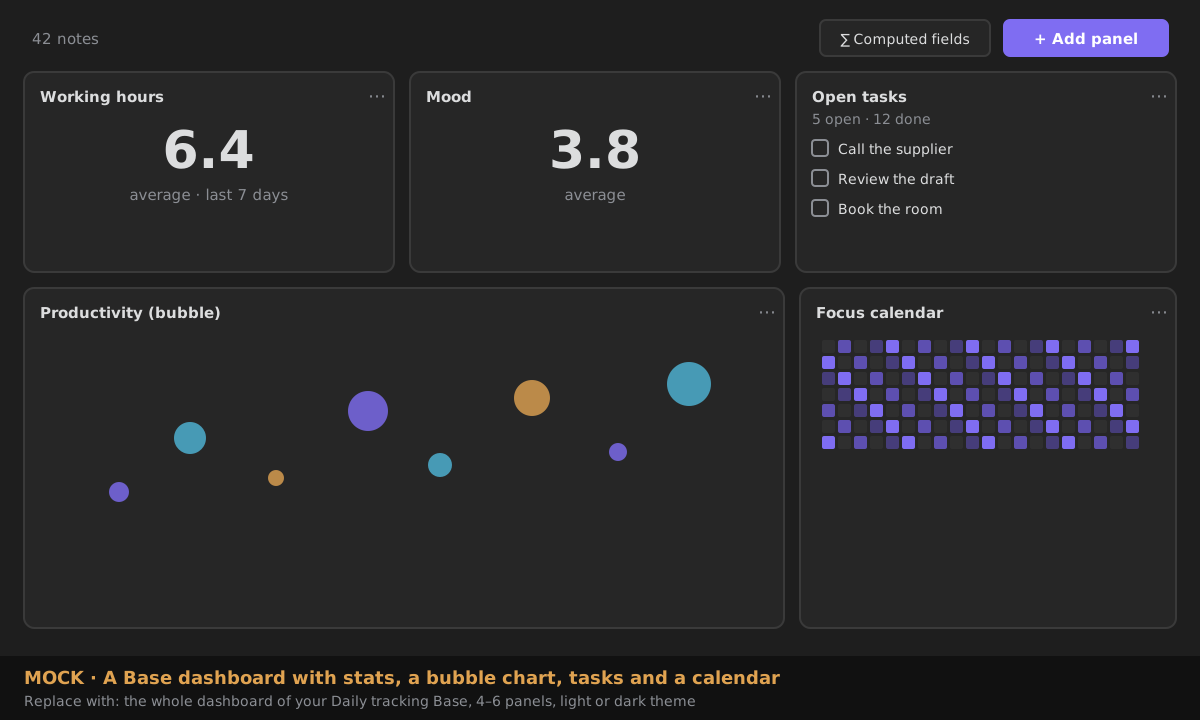
Dashboards over your own data
Point an Obsidian Base at a folder and compose charts, tables, calendars and task lists over it, with no
dataviewjs.
Who it is for
- Zettelkasten and PKM practitioners who want capture, processing and connection to happen the same way every time, and want help seeing which ideas are underdeveloped.
- Researchers and students who track claims and sources: ZettelFlow knows which claims have no source, what supports and contradicts a note, and which questions are still open.
- Writers who grow ideas over time and want a place to think before a thought has to become a note.
- People who log things in frontmatter — habits, reading, mood, projects — and want to see the shape of that data without writing JavaScript.
You do not need all of it. Many people start with one ready-made system from the gallery and never draw a Canvas of their own.
How it sits next to the tools you already use
ZettelFlow is not a replacement for these plugins. They are excellent at what they do, and they can live in the same vault. This is where each one is strongest, and where ZettelFlow differs.
| Best at | Where ZettelFlow differs | |
|---|---|---|
| Templates (core) | Inserting a fixed snippet into a note, with nothing to set up. | A flow is many steps, with questions, choices and branches, and ends in a note built from all of them. |
| Templater | A full templating language with JavaScript, user scripts and folder templates. | Flows are drawn on a Canvas instead of written as code. Scripting is there when you want it (Script action, zf API), not as the starting point. |
| QuickAdd | Fast capture, macros and choices configured from the settings. | Beyond creating the note, it stays with it: the This note companion, Tend and Cultivate work on notes after they exist. |
| Dataview | Querying your notes' metadata and rendering it as lists and tables. | Explore builds a query by clicking, facets with counts, and can turn the answer into a map of content. Base dashboards chart an Obsidian Base; the one thing they write is a task you tick off. |
What it promises
- Offline. No account, no server, no telemetry. The only network calls are the ones you opt into: an AI provider you configure, and the read-only community gallery and Learn tutorials. → Capabilities & privacy
- AI optional, and off by default. Everything above works with AI switched off. When you turn it on, every AI output is a proposal you accept, edit or reject. → AI provider setup
- Nothing you did not decide. Every write ZettelFlow makes is recorded, and the ones you trigger can be undone on the spot. → What ZettelFlow wrote
- Desktop and mobile. The same plugin runs on iOS and Android. → Mobile support