Systems Gallery¶
A system is a whole knowledge methodology you can install in one click — a ready-to-run canvas plus its step notes, written straight into your vault. Systems are the fastest way to get started with ZettelFlow: instead of a blank canvas you begin from a real workflow that already composes the cognitive actions, so a note you create through a system lands already related, cross-checked, link-suggested and maturity-scored against your own graph.
Systems ship in the unified .zftemplate format and install from the Systems room of Community — see also Community resources. Everything is offline (no network, no AI) and additive (nothing in your vault is removed).
Install a system¶
- Open Community → Systems (ZettelFlow ribbon → Community, or the Browse systems command). Each card is a small drawing of the system's own canvas, with its level and its steps.
- Click a card: its drawing grows into the stage, in place. Under Try it: walk the flow you walk it on the drawing — nothing is created and nothing is read from your vault.
- Say how you will use it (Create notes is suggested only when no creation flow is set yet), read the sentence below it — exactly what is created, where, how it runs and what it replaces — and press Install. There is no confirmation dialog: the sentence was the confirmation.
- The drawing fills the tab and the tab becomes the canvas. The notice offers Create a note and Undo, which takes the whole install back; Obsidian's Back returns to Systems, where the card now says In your vault.
Shipped systems¶
Each system is a drawn workflow on one canvas: a single entry that branches — with real edges and phase colours — to each note type it makes. Pick the flow, answer its questions, and it lands the note. Every system carries a difficulty level on its card in the Systems room — easy (a light workflow, few actions), medium (more steps and the relation/research actions), hard (the full pipeline). Start easy and grow into the richer systems; the on-creation cognitive work scales with the difficulty.
| System | Difficulty | Entry points | What lands on creation |
|---|---|---|---|
| 🎓 ZettelFlow tour | easy | Guided note | a three-step guided walkthrough that teaches capture → develop → connect while you build a real note — the fastest way to learn the whole workflow |
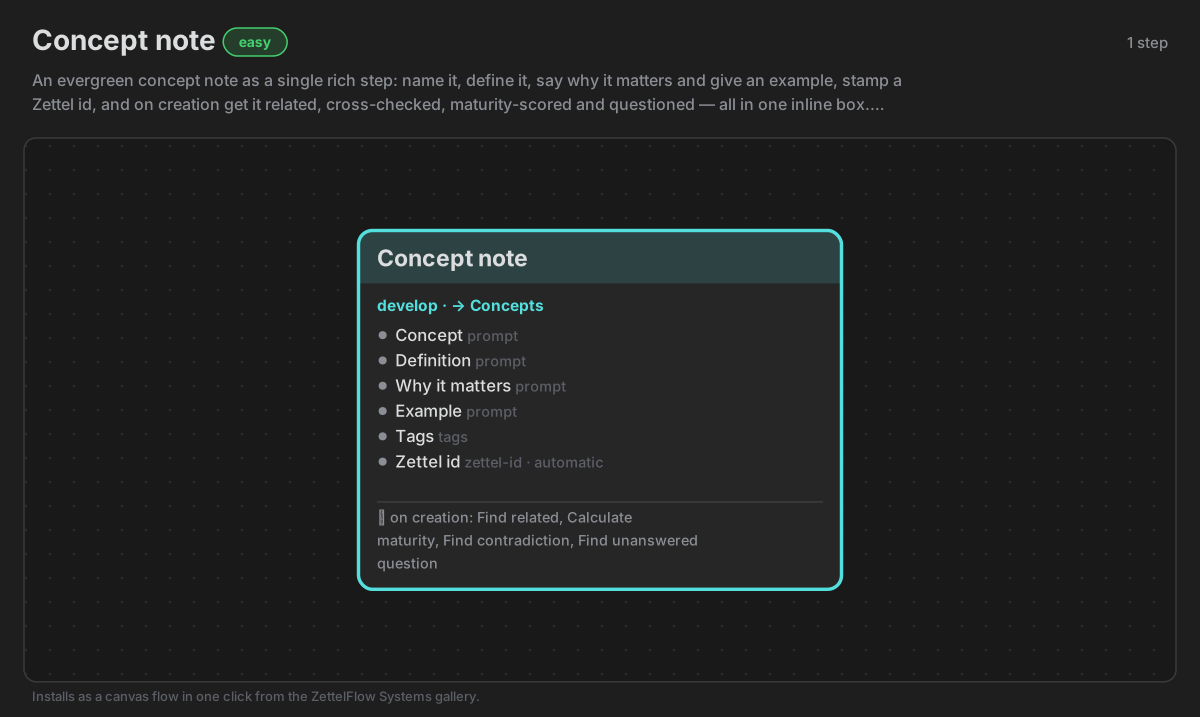
| Concept note | easy | Concept note | the full treatment — related · contradictions · suggested links · maturity · thinking prompts · next move |
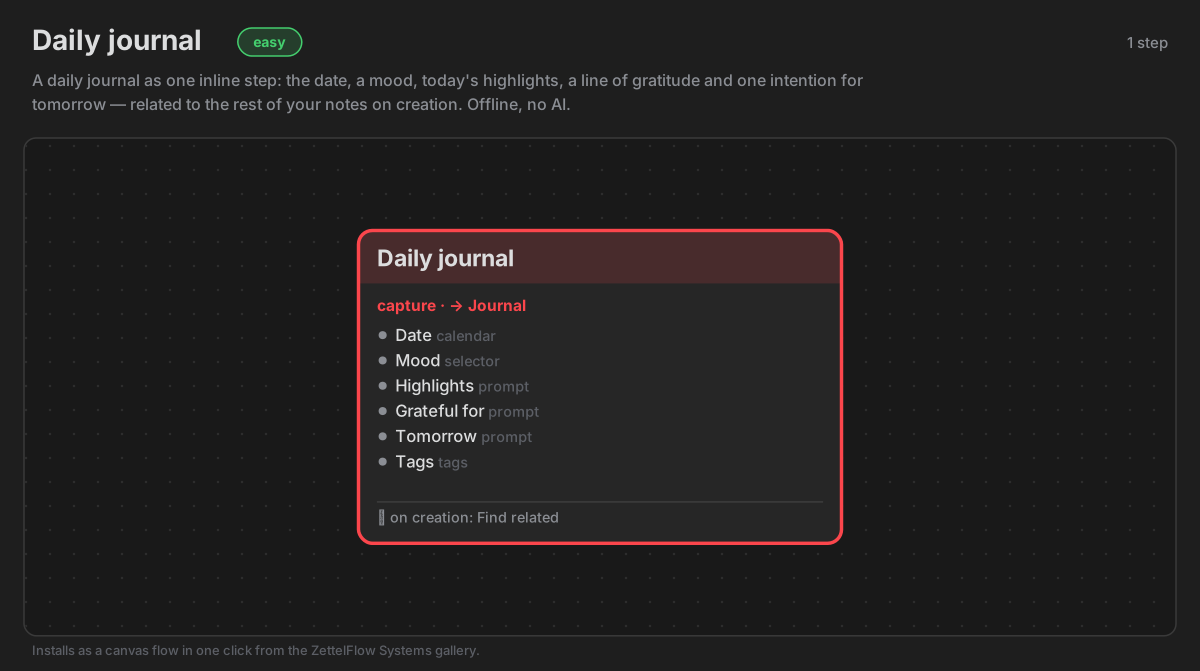
| Daily journal | easy | Daily journal | highlights · gratitude · tomorrow, connected to related days on creation |
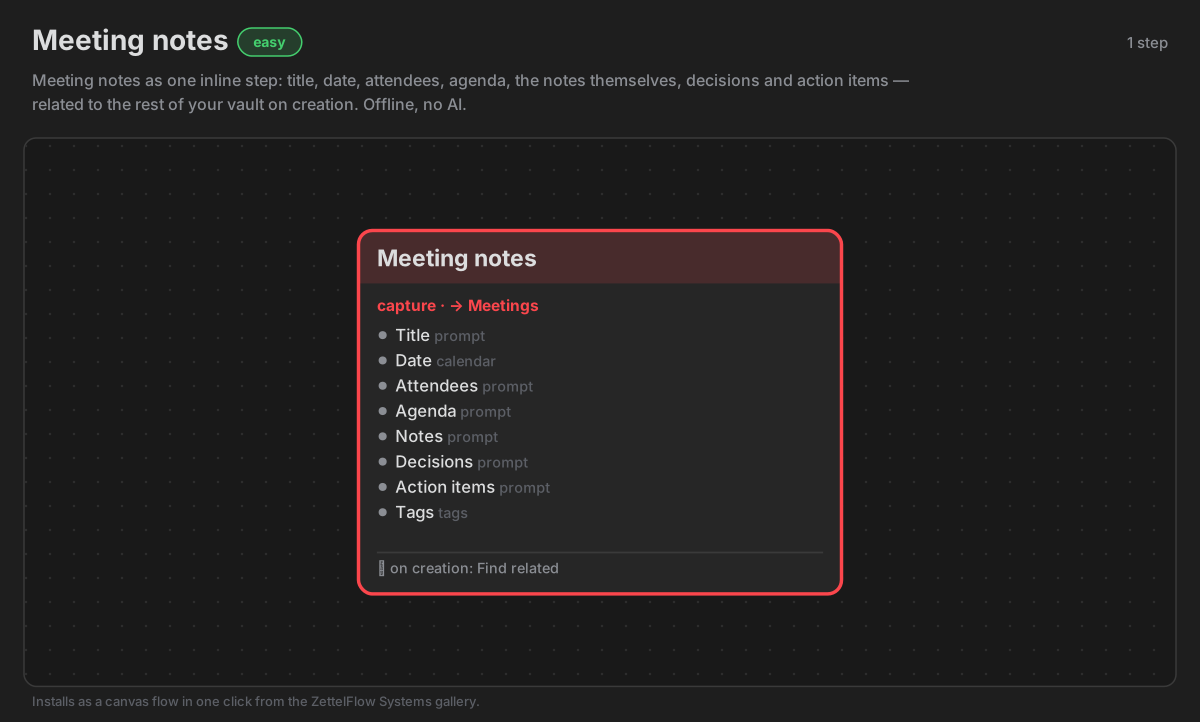
| Meeting notes | easy | Meeting note | attendees/agenda/actions captured, tagged, stamped with a Zettel ID, linked to related meetings |
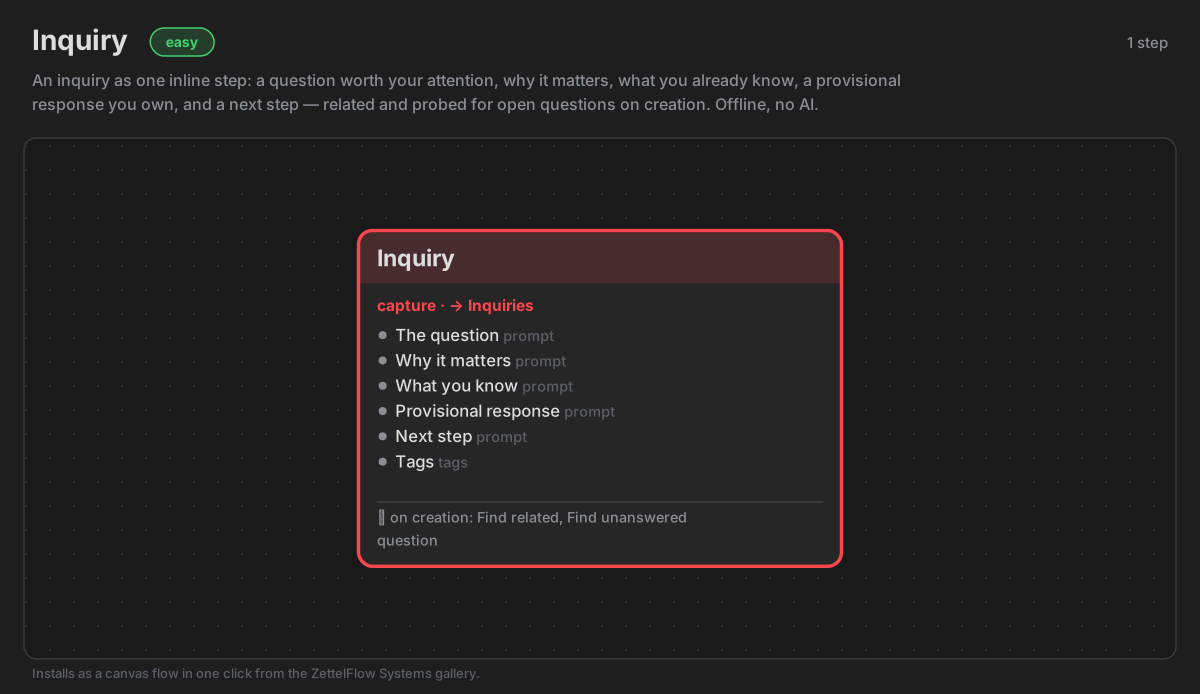
| Inquiry | easy | Open question | surfaces your other open questions, related notes and the claims you're implicitly making |
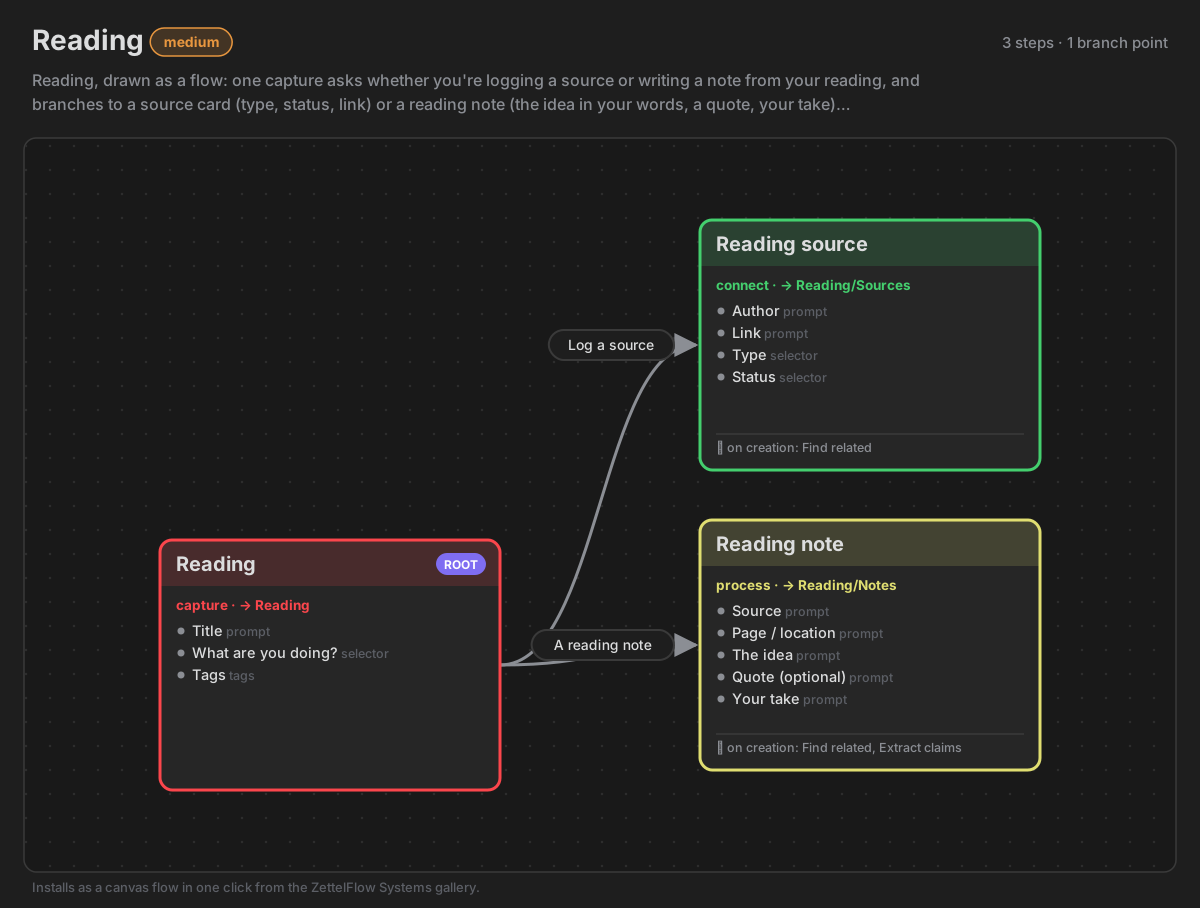
| Reading | medium | Reading source · Reading note | highlights mined for claims and candidate sources; insights connected to your graph |
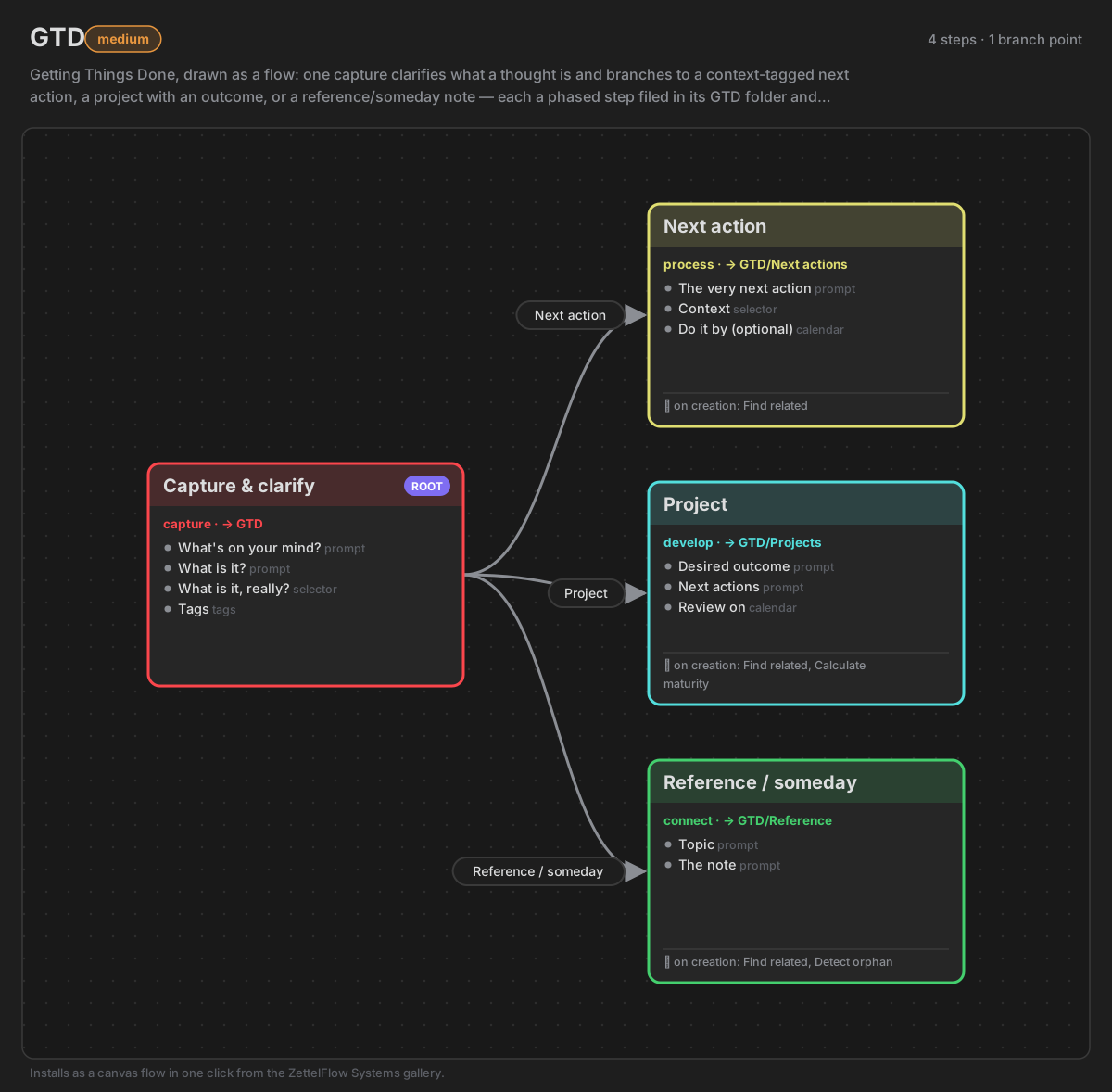
| GTD | medium | Inbox capture · Next action · Project | a thought moves from capture to a context-tagged next action, connected with find related |
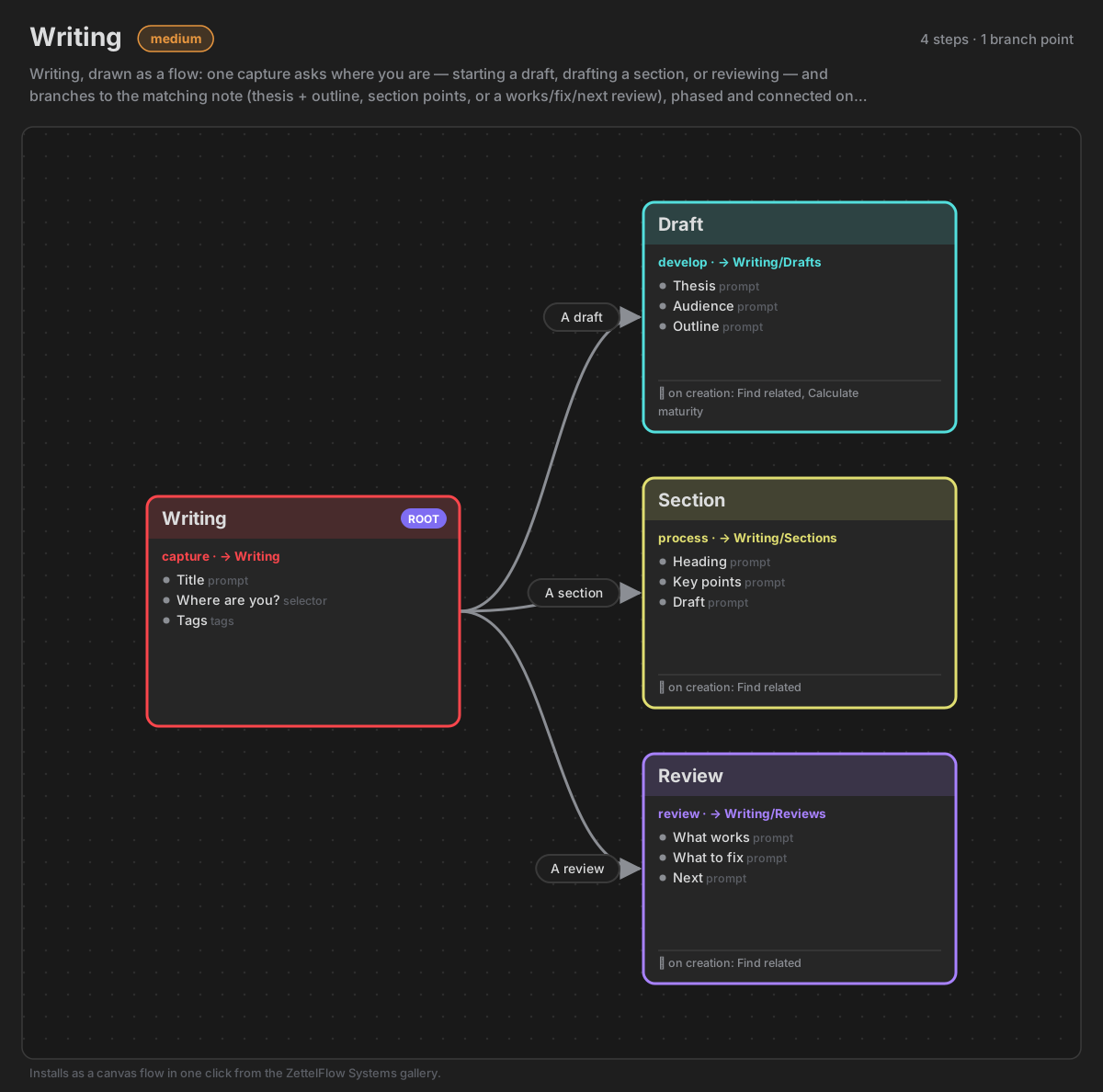
| Writing | medium | Draft · Section · Review | drafts pull in related source notes; sections suggest connections; reviews surface contradictions |
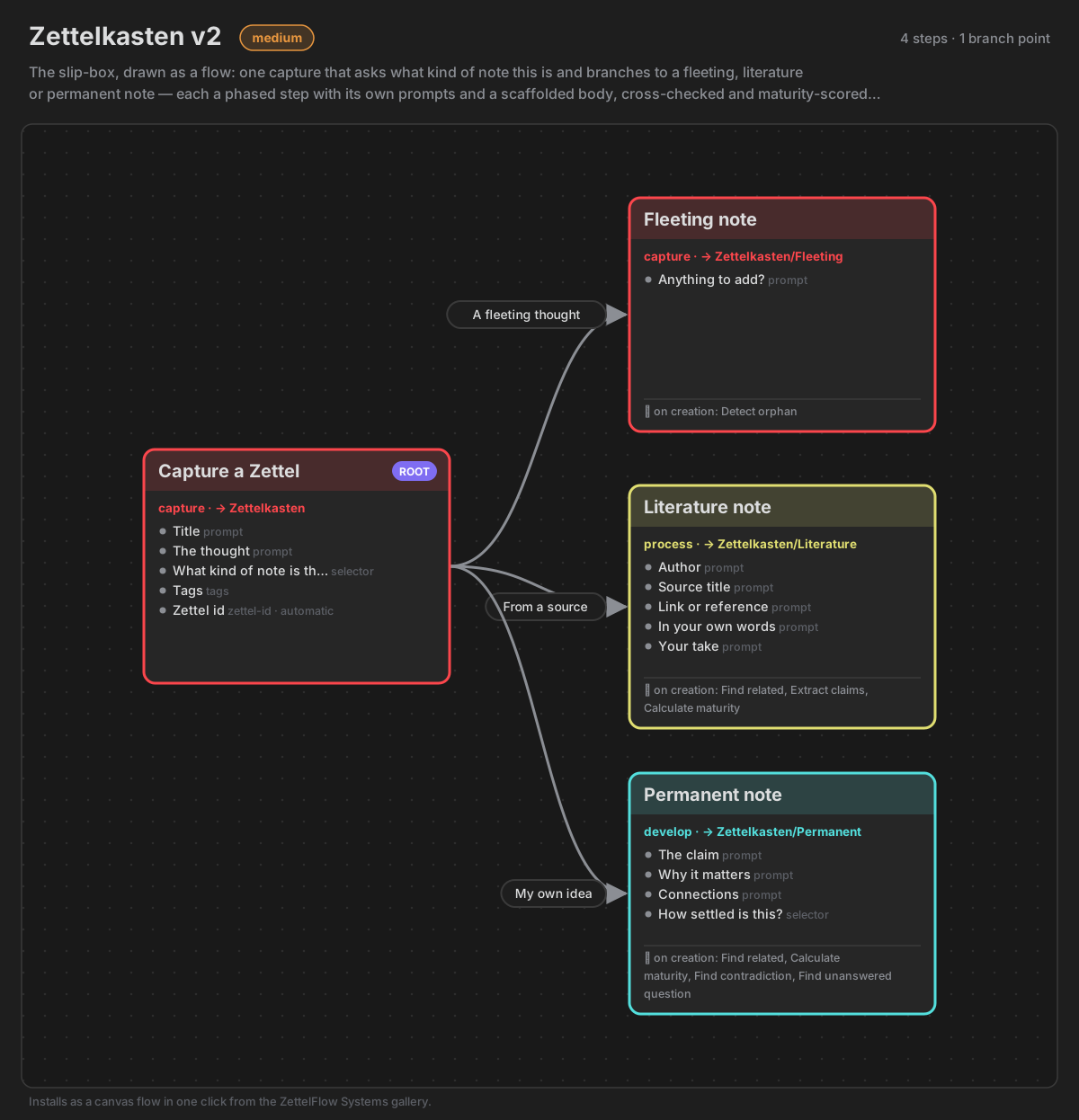
| Zettelkasten v2 | medium | Fleeting · Literature · Permanent | the permanent note is related, cross-checked, link-suggested and maturity-scored (the on-creation pattern) |
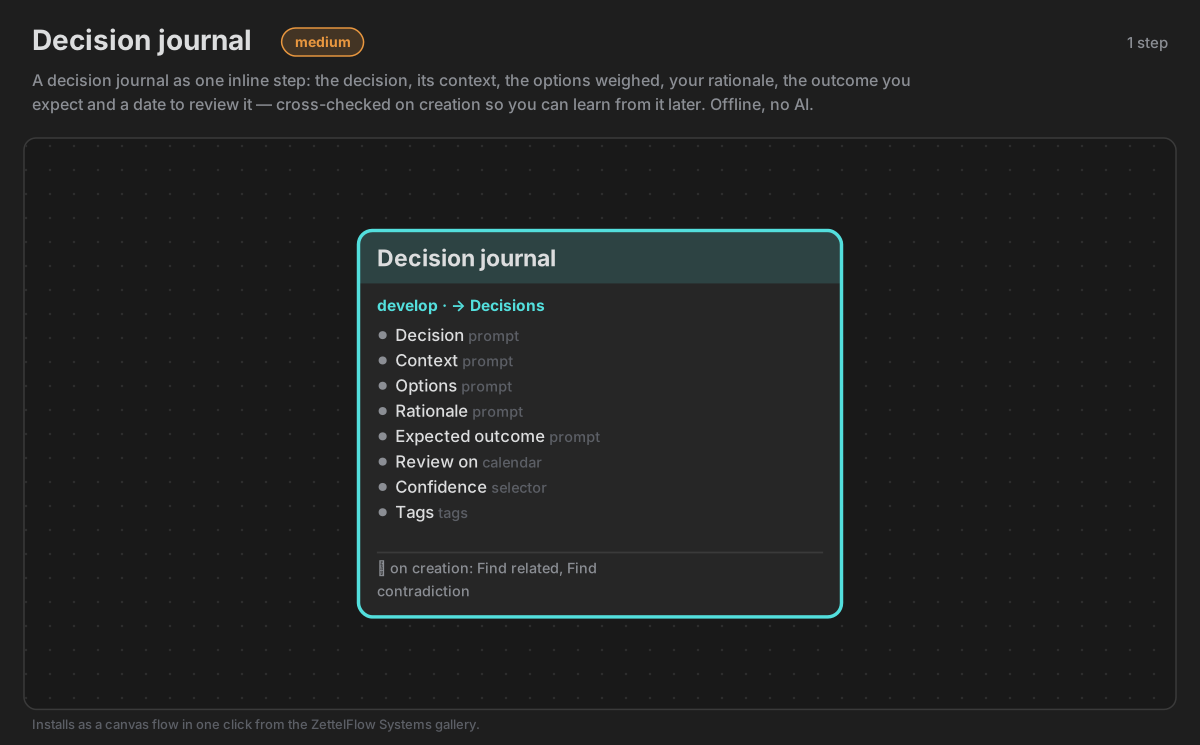
| Decision journal | medium | Decision record | options · rationale · review date, Zettel ID, checked against earlier decisions for contradictions |
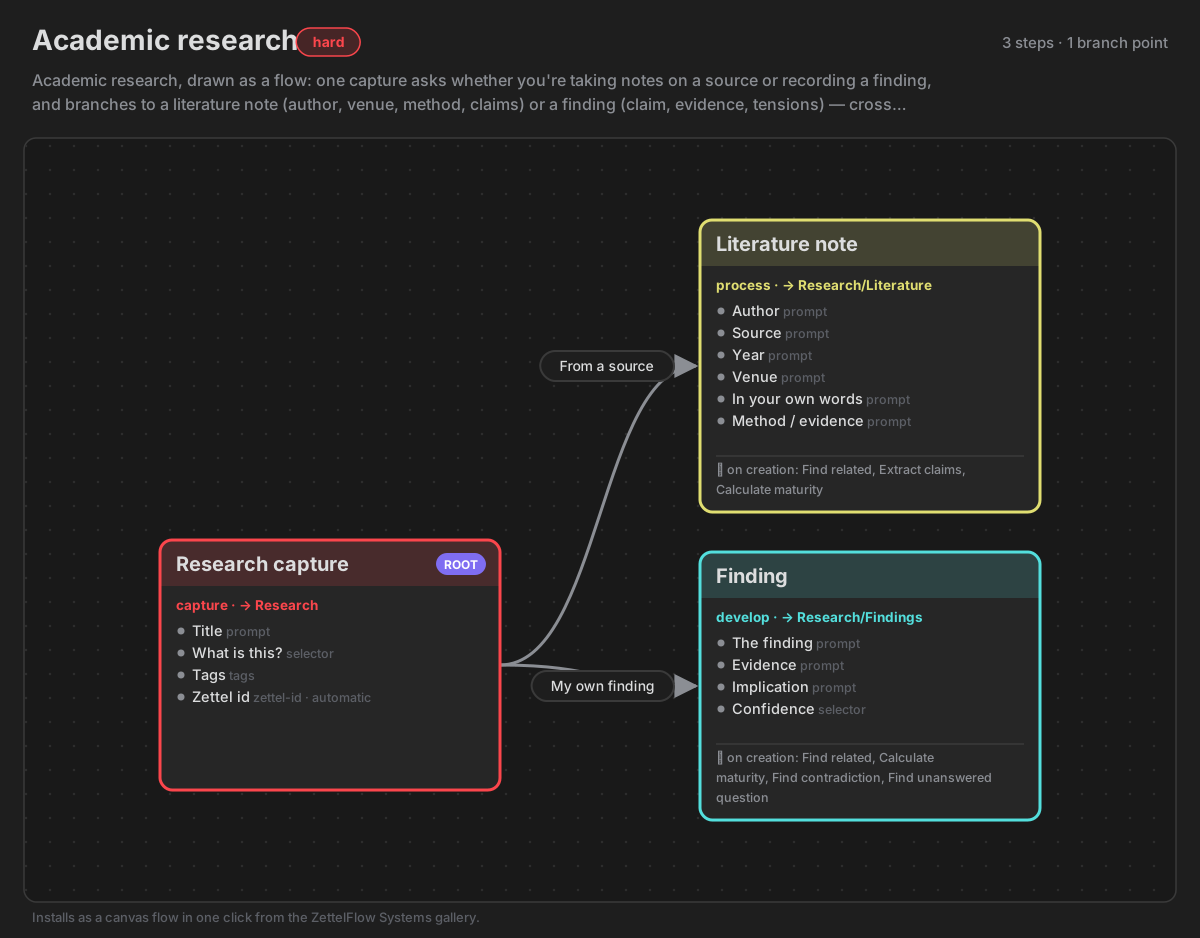
| Academic research | hard | Literature note · Permanent note | claims extracted · candidate sources · contradictions flagged · maturity scored → connected permanent notes |
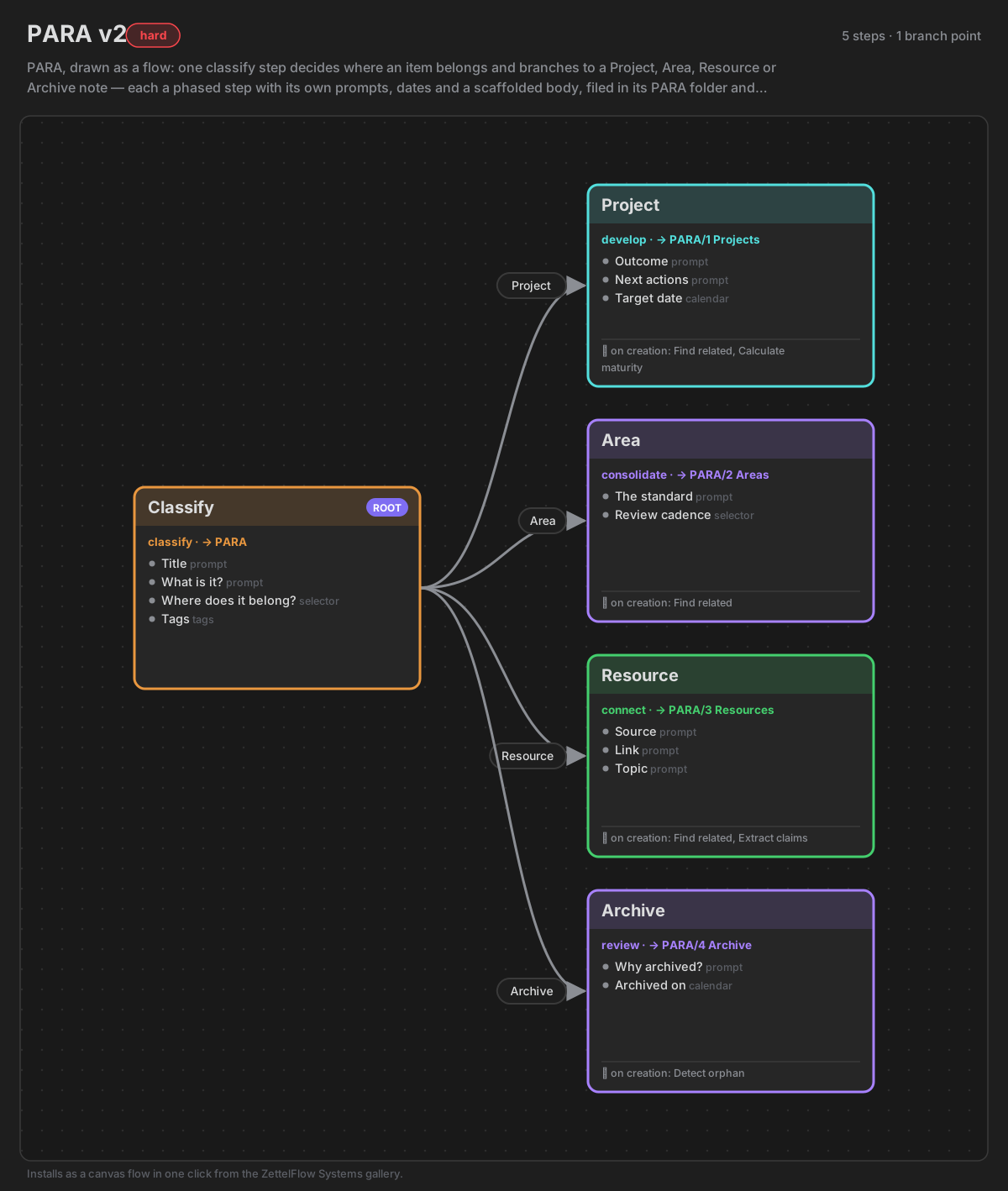
| PARA v2 | hard | Project · Area · Resource · Archive | each note lands in its PARA folder, tagged by category and connected with find related |
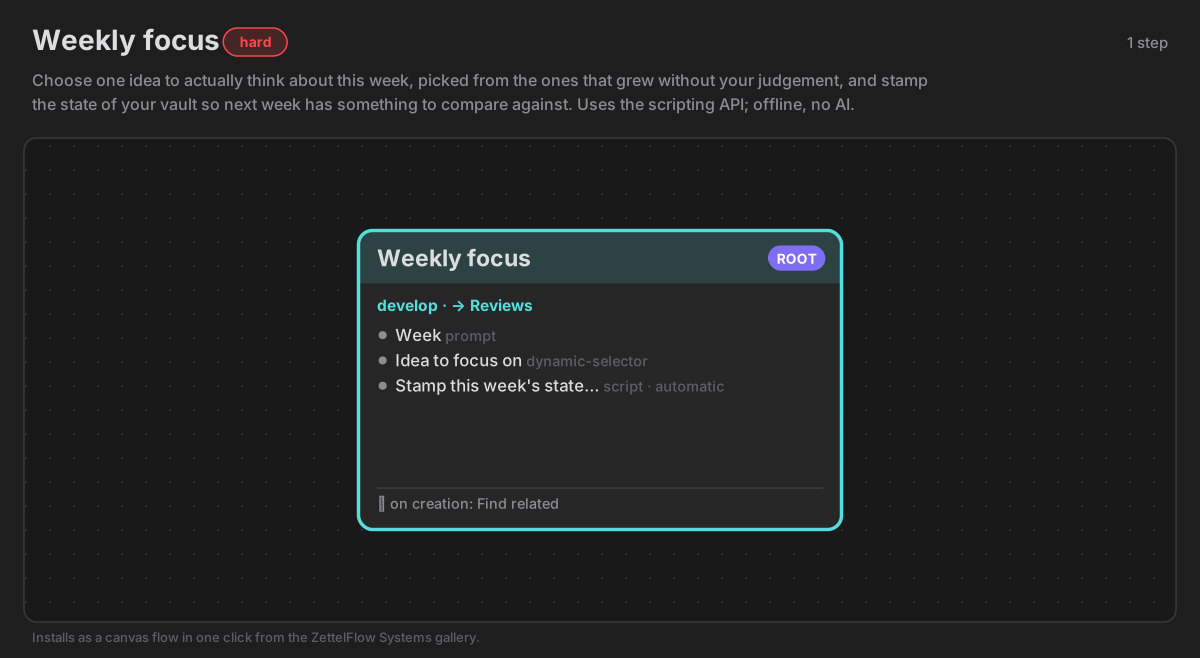
| Weekly focus | hard | Weekly focus | the scripting showcase — picks this week's idea from the ones that grew without your judgement and stamps the vault's state so next week has something to compare against; uses zf.knowledge |
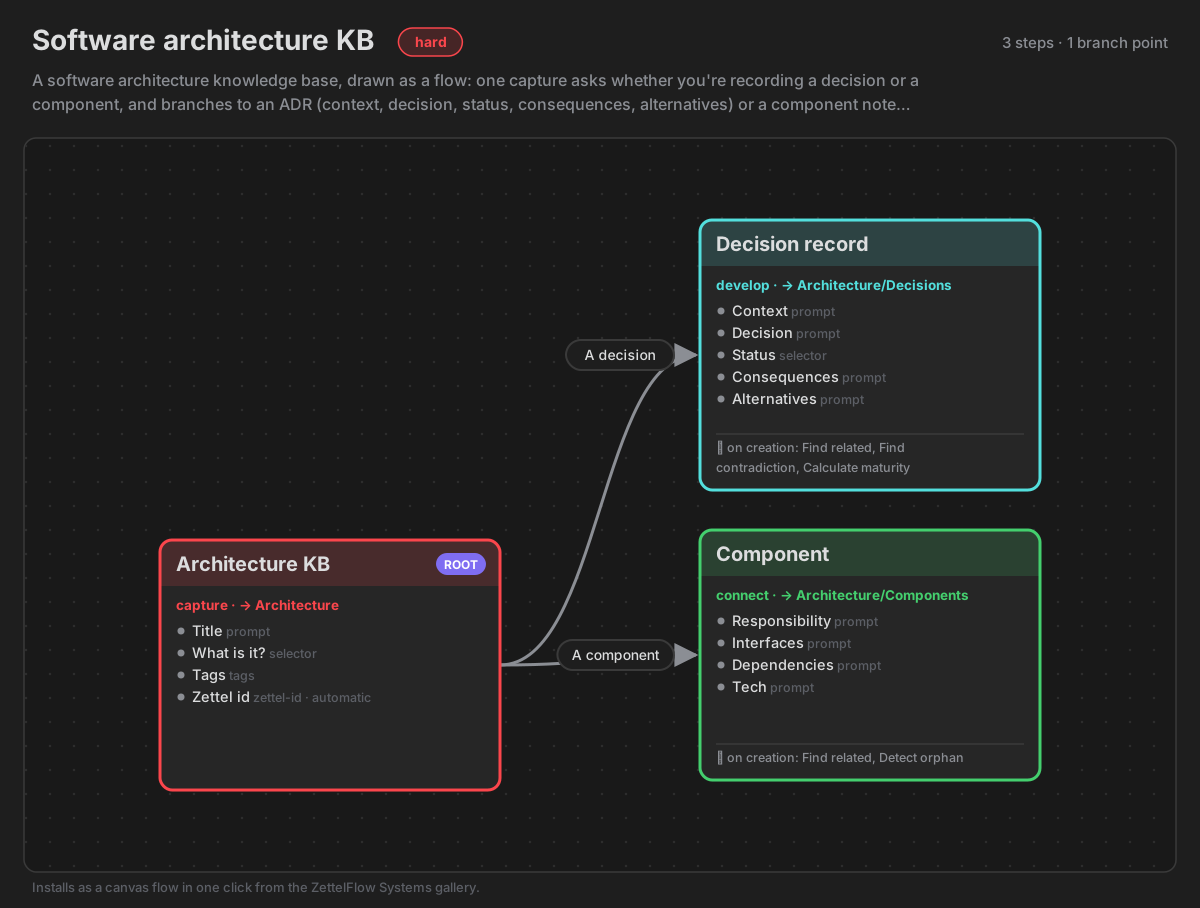
| Software architecture KB | hard | Decision record (ADR) · Component | new decisions are checked against existing ones for contradictions and linked to related decisions |
See the flows¶
Each drawing is the system's own canvas, read from its .zftemplate: the steps, their phase colours, the questions each one asks and what runs on creation. In the app the Systems room draws the same canvas itself, live from the template (#799); these pictures stay for older releases.
Systems that run code¶
A system may ship a Script or Dynamic selector action, and those carry JavaScript that ZettelFlow runs with access to your vault. Because systems install in one click from a remote catalog, the install panel says so before writing anything: it names the steps that carry code, and Install stays disabled until you tick I have looked at it and I want it. A system built from stock actions gains no extra step — there is nothing to disclose.
Conditional canvas edges (if: …) are not in that category: they are read by a pure parser with no eval, so they are never reported as executable code.
If you author one, write the code as a YAML block scalar:
  - type: script
    id: my-stamp
    hasUI: false
    code: |
      if (!zf.knowledge.ready()) return;
      content.addFrontMatter({ vault_debt: zf.knowledge.debt().score });
Weekly focus is the shipped example: it picks this week's idea from the ones that grew without your judgement, using zf.knowledge — something no stock action can do.
Author your own system¶
A system is a single .zftemplate JSON bundle: a canvas (a real .canvas) and its steps. The reference pattern (see the three pilots — zettelkasten-v2, para-v2, gtd) is fully inline: the steps live on the canvas nodes, not in external .md files, and steps is []. To contribute one:
- Draw the flow with inline boxes. Make each step a native text canvas node whose
zettelFlowSettingslive in itszettelflowConfig(the Step Builder writes this when you Edit embed an inline box), and give the step an inlinebodytemplate. The canvas is the system — a reader should see the methodology in the drawing. - One root, and branch with edges. Give the system one
root: truestep and connect the rest with canvas edges. Model a decision as a branch — several edges out of one step, each gated by aStepExitkeyed by the edge id (when: frontmatter.<key> === "...", with a humansays) — and set each step'sphaseso its canvas colour reads the arc at a glance. One walk makes one note (a chain merges its steps into a single note), so a choice between note types is a branch, never a chain. - Stay offline, and don't auto-write a judgement (§XII). On creation, auto-write only mechanical outputs:
find-related,calculate-maturity,detect-orphan,find-contradiction,find-unanswered-question,extract-claims,find-sources,compare-claims. Do not auto-write the interpretivesuggest-link/suggest-next-move— those are moves a human invokes, not silent writes. Never use an AI action (classify,summarize,generate-questions,challenge-idea,synthesize,suggest-connections): a shipped system runs with no network. Avoid build-time-fixed targets (attach-source,create-semantic-relation) — they are no-ops in a template. - Quote YAML-unsafe values. A prompt
placeholder/labelthat starts with[[,@,{,*(or contains:) must be single-quoted, or the frontmatter fails to parse and the step is dropped. - Declare a difficulty. Set a top-level
"difficulty": "easy" | "medium" | "hard"on the bundle so the gallery shows the right badge — easy for a light workflow, medium once you add relation/research actions, hard for the full on-creation pipeline. Optional; omit it and the badge is simply hidden. - Catalog it. Add the
.zftemplateunderdocs/systems/, a sibling<id>.svgdrawing of its canvas flow (plus the<id>.pngrendered from it, which releases before #651 read), and atemplate_type: "system"row todocs/main_template.json(ref= the.zftemplatepath). Since #799 the row also carries a one-linesummaryin both languages ({ "en": "…", "es": "…" }), and thestepsandbranchesits canvas draws: the room groups systems by them before it fetches any template, andcatalog.test.tsfails when they do not match the canvas. - Validate.
npm testruns the validity harness.shippedSystems.test.ts+catalog.test.ts: every shipped system parses, references only registered non-AI actions, uses YAML-safe frontmatter, and resolves its canvas file-nodes to real steps — and now lints the inline nodes too (validateSystemTemplatewalks eachzettelflowConfig, rejecting unknown or AI actions). For a branched flow,pilotFlows.test.tsproves the shape (edges, one root), the §XII mechanical-only on-creation, no AI, the phase colours, and that each branch rehearses to exactly one outcome. - Publish. The fastest in-app route: build the workflow on a canvas, run ZettelFlow → Export current canvas as .zftemplate (also in the Open ZettelFlow ribbon menu), then submit it through Community's Contribute room: Share this canvas as a system → Prepare the system. That closes the loop — your system in the gallery for everyone.
README vocabulary for this page: Community Hub, Try a system before installing.