Get started in 5 minutes
ZettelFlow is an Obsidian plugin. You need Obsidian 1.14.4 or newer, on desktop or mobile.
1 · Install
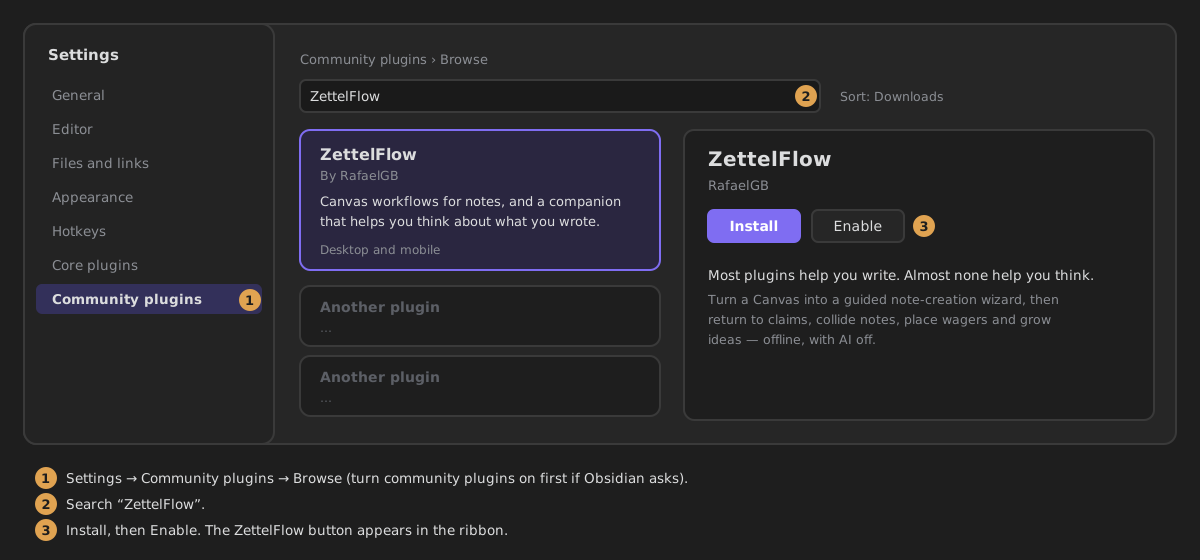
- In Obsidian, open Settings → Community plugins and turn community plugins on if you have not yet.
- Click Browse, search for ZettelFlow, then Install and Enable.
- A ZettelFlow button appears in the ribbon. Click it and a menu opens: Think, Create note, Community and the rest. Everything below starts there.
2 · Pick one way in
There are four ways in. None of them needs the others, and you can switch between them at any time.
Nothing to draw: ZettelFlow makes a small flow for you.
- Ribbon menu → Create note.
- While no canvas creates notes, the wizard opens on a welcome screen. Press Create the example flow.
- It writes
_ZettelFlow/examples/My first flow.canvaswith one step, gives it the Creates notes role and opens it. - Ribbon menu → Create note again: the wizard asks for a name and creates the note in
_ZettelFlow/examples/notes.
Then open a step of the example (select it → Edit step) to see what it is made of.
Zettelkasten, PARA, GTD, research, writing, decisions… complete flows you can try before anything is written to your vault.
- Ribbon menu → Community.
- In the Systems room, click a card: its drawing opens in place, with its level and steps.
- Try it: walk the flow on the drawing without creating anything, then Install.
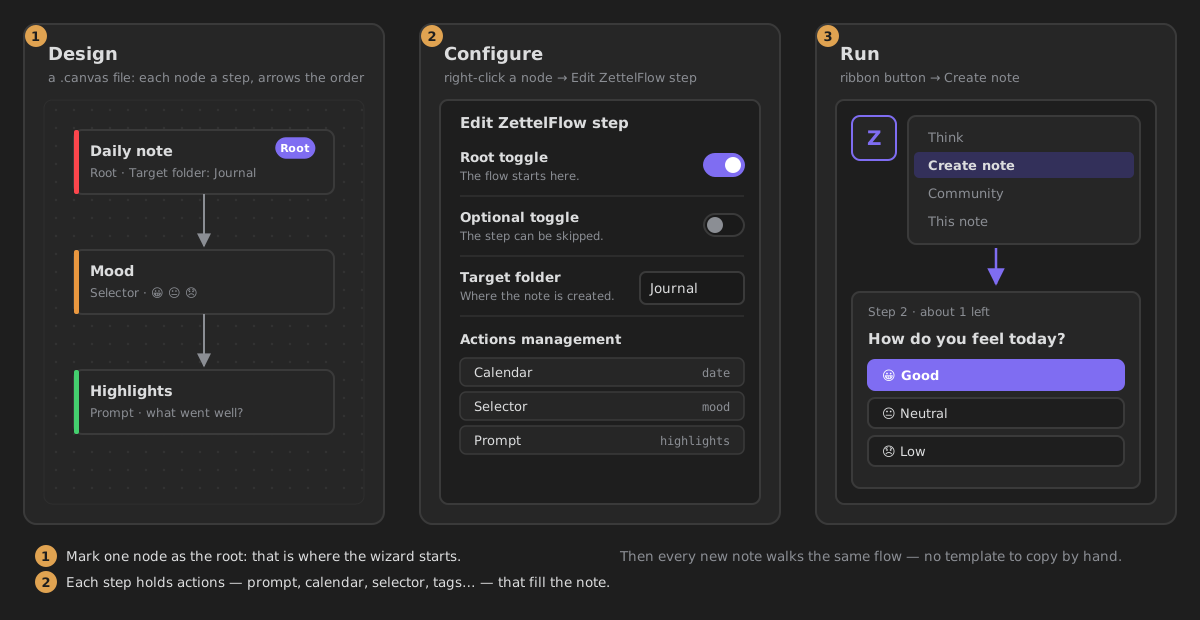
- Give the canvas its role. Create a canvas (for example
flows/Daily note.canvas), right-click it in the file explorer → Use this canvas to create notes, and press Give it the role. Until a canvas has a role it is just a canvas: ZettelFlow adds nothing to it. - Create the first step. Open the canvas: it says This canvas has no steps yet. Press Create the first step and pick Note — file with frontmatter (recommended). The first step starts the flow on its own.
- Say what it asks. Select the step → Edit step. Under What does this step ask?, press Add an action and pick Ask for text. Write its Question, and choose Where it writes: Properties, Body or Context only.
- Create a note. Ribbon menu → Create note: the wizard asks your question and creates the note.
To add more steps, press Create a step (the ZettelFlow icon in the canvas's bottom bar) and draw an arrow from one step to the next.
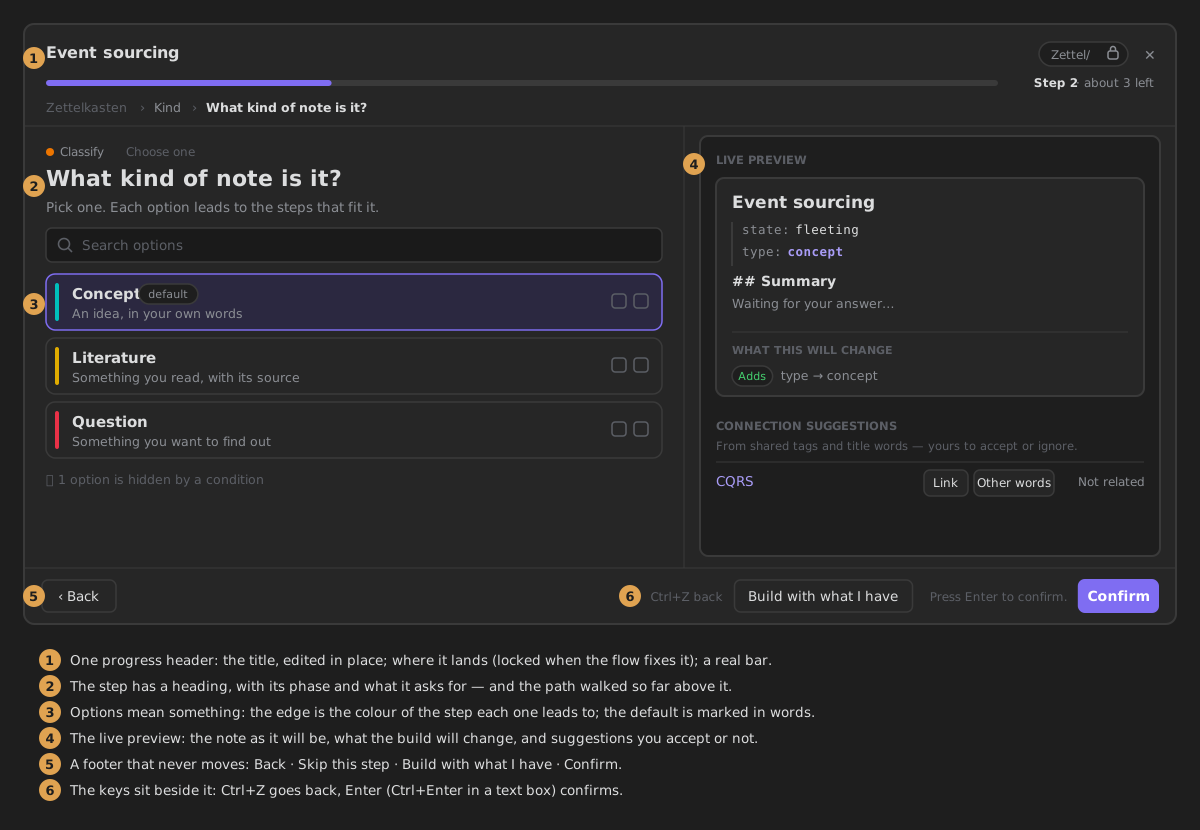
→ Create a note: the wizard · Configure a step · Your flows and their roles · Actions
No canvas and no setup: it works in an empty vault.
- Ribbon menu → Cultivate — start a thinking session.
- At the end of the stage strip, press From a question of mine… and choose a note, or capture one.
- State your question, look at the notes it gathers, write a response or a gap, and Save progress.
Then open This note from the ribbon menu: the note you are reading gets a companion in the right sidebar with its state, what argues with it, what it is missing and the one next step.
3 · Words that changed
If you followed an older guide or video, these are the same things under their current names.
| Older name | What you see now |
|---|---|
| root / root toggle | Starts the flow (in When does it appear?) |
| optional toggle | Can be skipped |
| children header | Explains the options |
| ribbon canvas / new notes canvas | the Creates notes role (Settings → Your flows, or right-click the canvas) |
| zone (Frontmatter / Body) | Where it writes: Properties, Body or Context only |
| key | Property key |
| static value | Always the same answer + Fixed value |
| Prompt · Calendar · Selector · Checkbox · Number | Ask for text · Pick a date · Choose an option · Yes or no · Ask for a number |
The step's YAML keeps the old field names (root, optional, zone, key), so a flow you made before still works.
4 · Your settings, at a glance
Open Settings → ZettelFlow. The top of the tab says what is on right now. In a fresh vault, a start card offers the same three ways in, so you never meet an empty page.
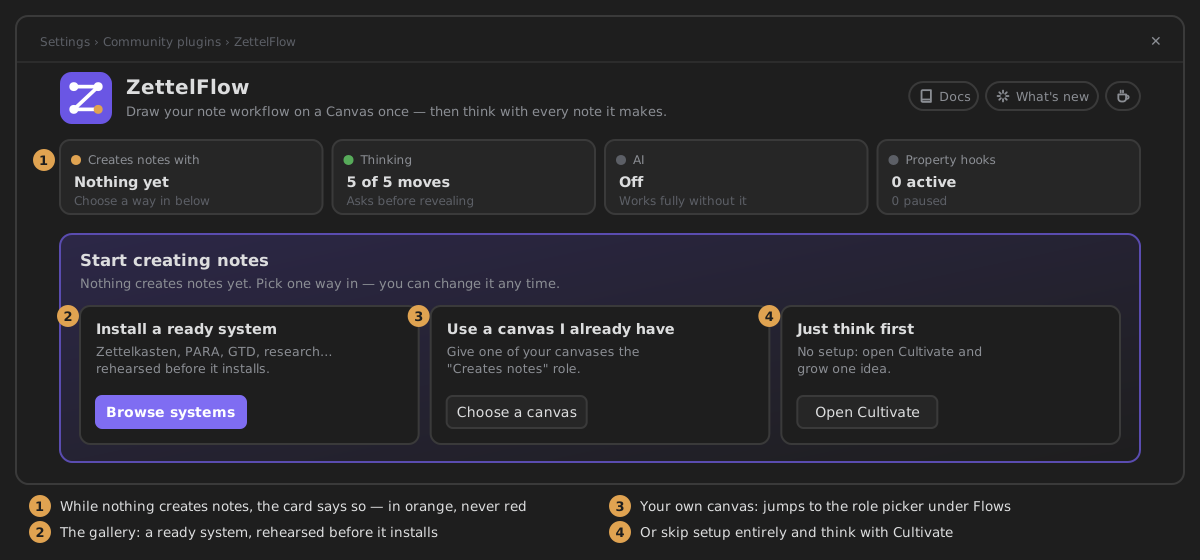
→ Settings, section by section
5 · Where to next
- Why ZettelFlow — what it is for, and how it sits next to Templater, QuickAdd and Dataview.
- Showcase — the whole product, one illustration at a time.
- Everything it does — every capability and where to find it.
- FAQ — mobile, offline, AI, privacy, undo, big vaults.
Stuck? Ask in GitHub Discussions.