Ask for text
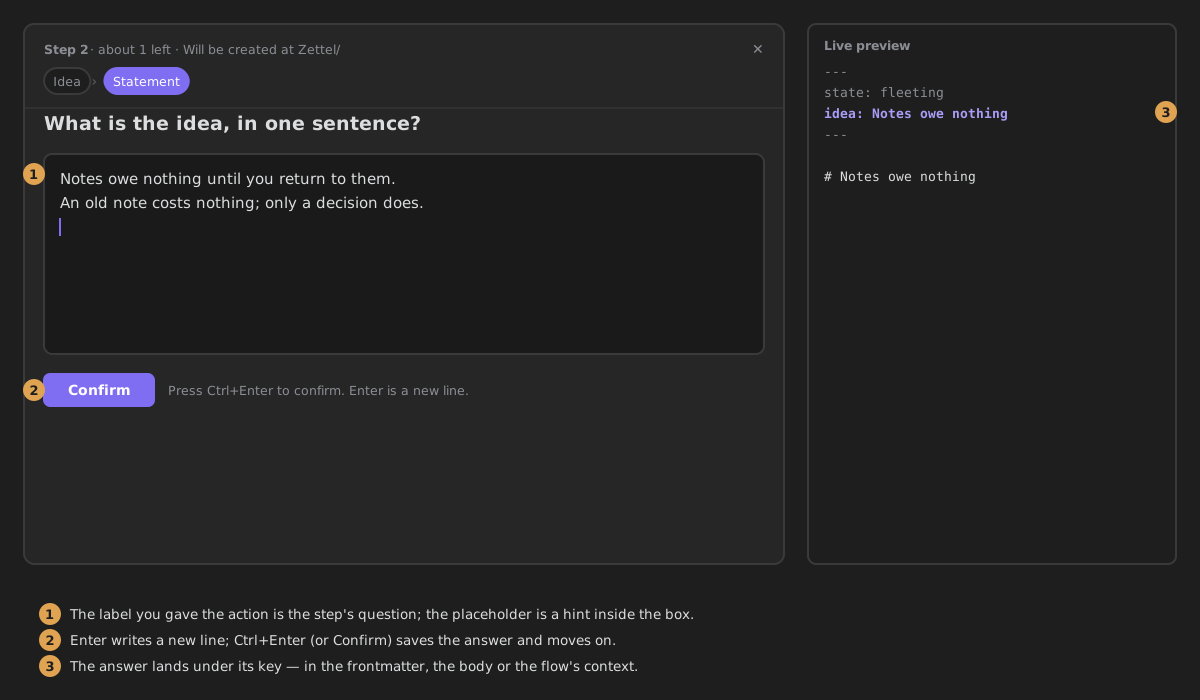
A text field. The answer is written to the note.
Called prompt in the step's YAML.
Settings
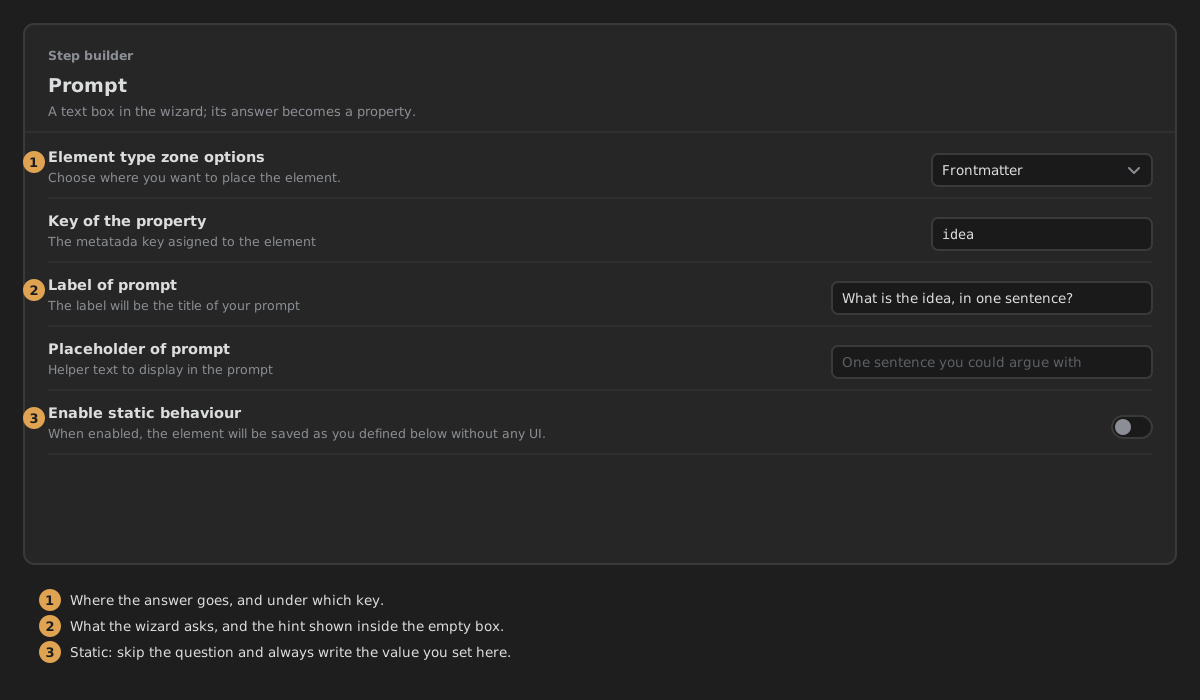
- Where it writes — Properties (a property on the note), Body (replaces
{{key}}in the step's note body) or Context only (not written to the note; the next steps can use it as{{key}}). Default: Properties. - Property key — the property the answer is saved under, e.g.
idea. With Body or Context only it is the name of the{{key}}placeholder. - Question — what the wizard asks, above the answer. Empty by default.
- Placeholder — the grey hint inside the empty field. Empty by default.
- Always the same answer — skip the question and write a fixed value. Off by default.
- Fixed value — what is written every time. Shown only when Always the same answer is on.
What it writes
With Property key idea and Properties:
With Body, a body containing Idea: {{idea}} becomes Idea: Notes should be written to be argued with.
In the wizard
A text area with your question above it and your placeholder as a hint. Enter starts a new line; Ctrl/Cmd+Enter (or Confirm) saves the answer and continues.