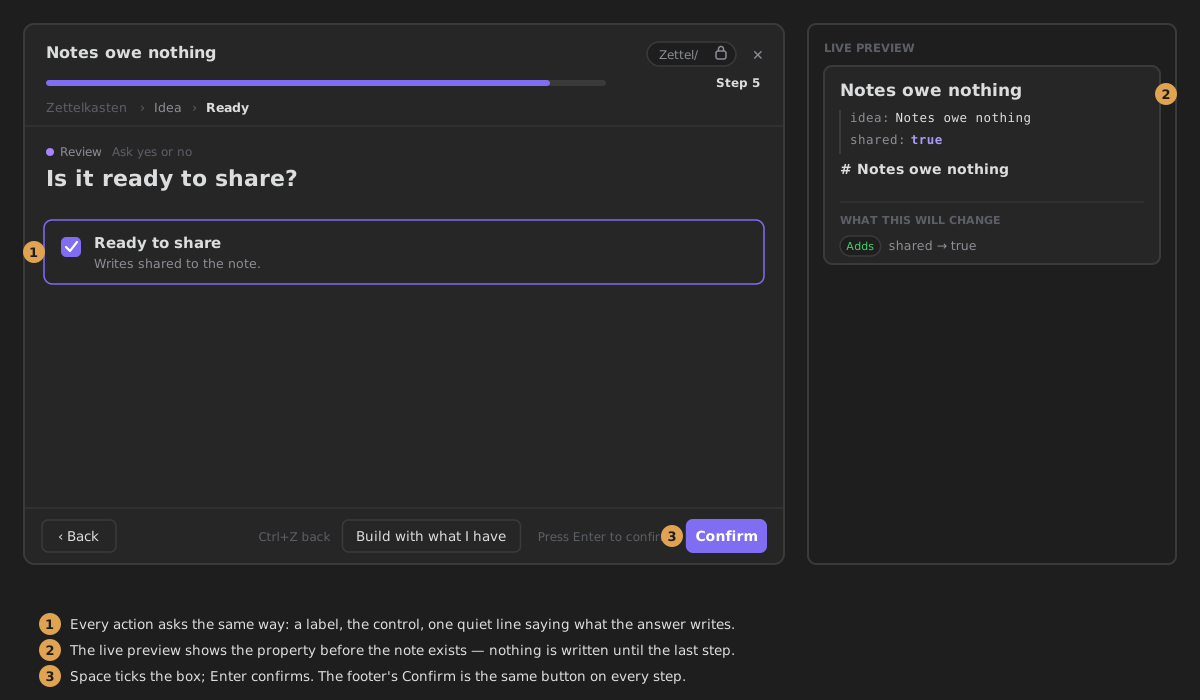
Yes or no
A box to tick. Writes true or false to the note.
Called checkbox in the step's YAML.
Settings
- Where it writes — Properties (a property on the note), Body (replaces
{{key}}in the step's note body withtrueorfalse) or Context only (not written to the note; the next steps can use it as{{key}}). Default: Properties. - Property key — the property the answer is saved under, e.g.
reviewed. - Question — what the wizard asks; it is shown beside the box. Empty by default.
- Always the same answer — skip the question and write a fixed value. Off by default.
- Fixed value — a toggle: on writes
true, off writesfalse. Shown only when Always the same answer is on.
What it writes
With Property key reviewed and Properties:
In the wizard
A checkbox with your question beside it. The whole row is clickable, and a line under the question says which property the answer writes. Space ticks the box, and Enter or Confirm saves the answer. With no question, the wizard shows the property key instead.