Link a note
Adds a link to the new note inside another note.
Called backlink in the step's YAML.
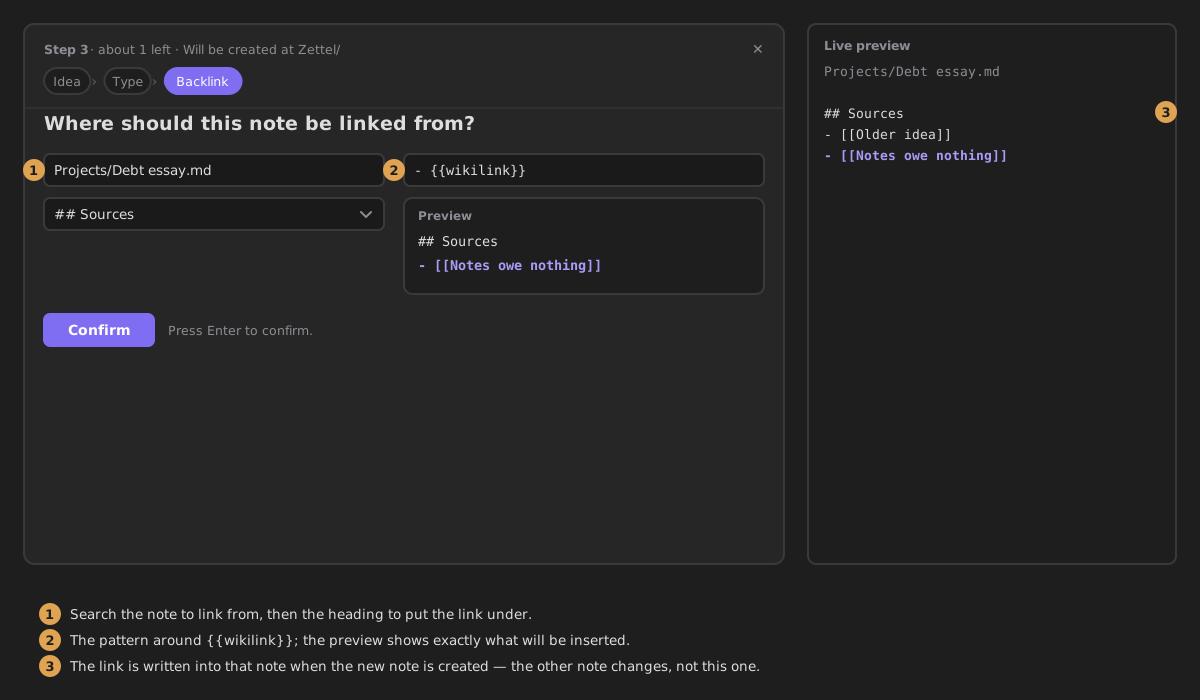
When the new note is created, a line linking to it is inserted under a heading of another note — for example, every new reading note listed under ## Sources of your project note.
Settings
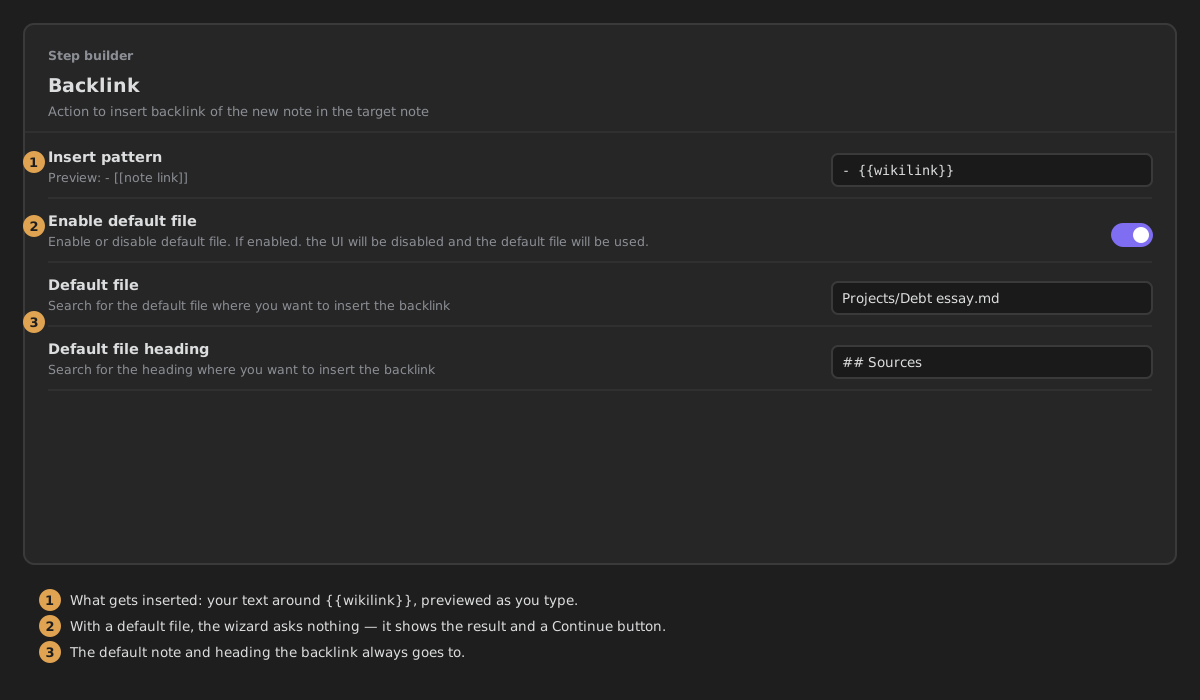
- Insert pattern — the line inserted into the default file. Write
{{wikilink}}where the link goes. Default:{{wikilink}}. The description under it previews the result, e.g.- {{wikilink}}previews as- [[note link]]. (When the wizard asks, the line is set there, in How the link reads.) - Enable default file — always insert into the same note and heading, without asking. Off by default, so the wizard asks for the note and heading each time.
- Default file — the note the link goes into. Shown only when Enable default file is on.
- Default file heading — the heading in that note the link goes under. Shown once a Default file is chosen.
With Enable default file on, the step is not shown in the wizard and the link goes to the default file — unless the step Can be skipped, in which case the wizard shows a preview of the link and Continue.
What it writes
Nothing in the new note. With Insert pattern - {{wikilink}}, a new note called Debt essay adds this line right under the chosen heading of the other note:
In the wizard
When Enable default file is off, the step asks for:
- Note — the note to insert the link into.
- Heading (optional) — the heading to insert it under. It lists the headings of the note you picked. Pick one: today the link is only inserted under a heading, so with none nothing is written.
- How the link reads — the line to insert. It starts as
{{wikilink}}.
A Preview shows the line as it will appear. Confirm needs a note.