
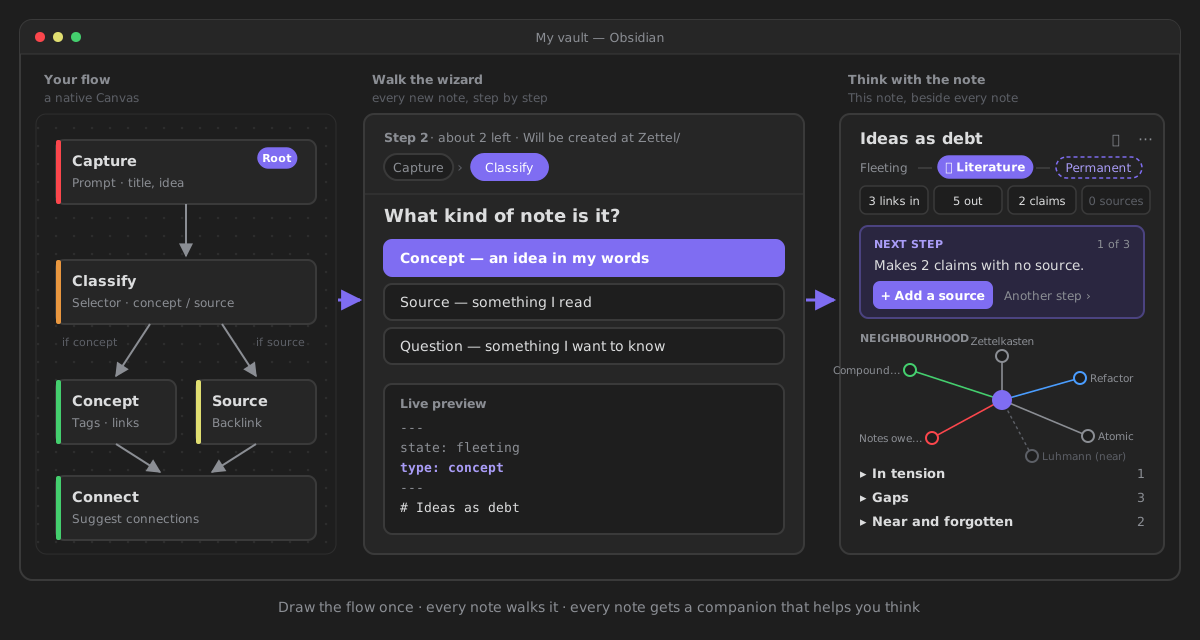
Most plugins help you write. ZettelFlow helps you think. It turns a native Obsidian Canvas into a guided note-creation wizard, then sits beside every note it makes: where the note stands, what argues with it, what it is missing, and the one next step. Offline, AI optional, and nothing is written to your vault that you did not decide.
New here? The README is the front door — it opens with the handful of things ZettelFlow asks you to do. This site is the map.
What you get
-
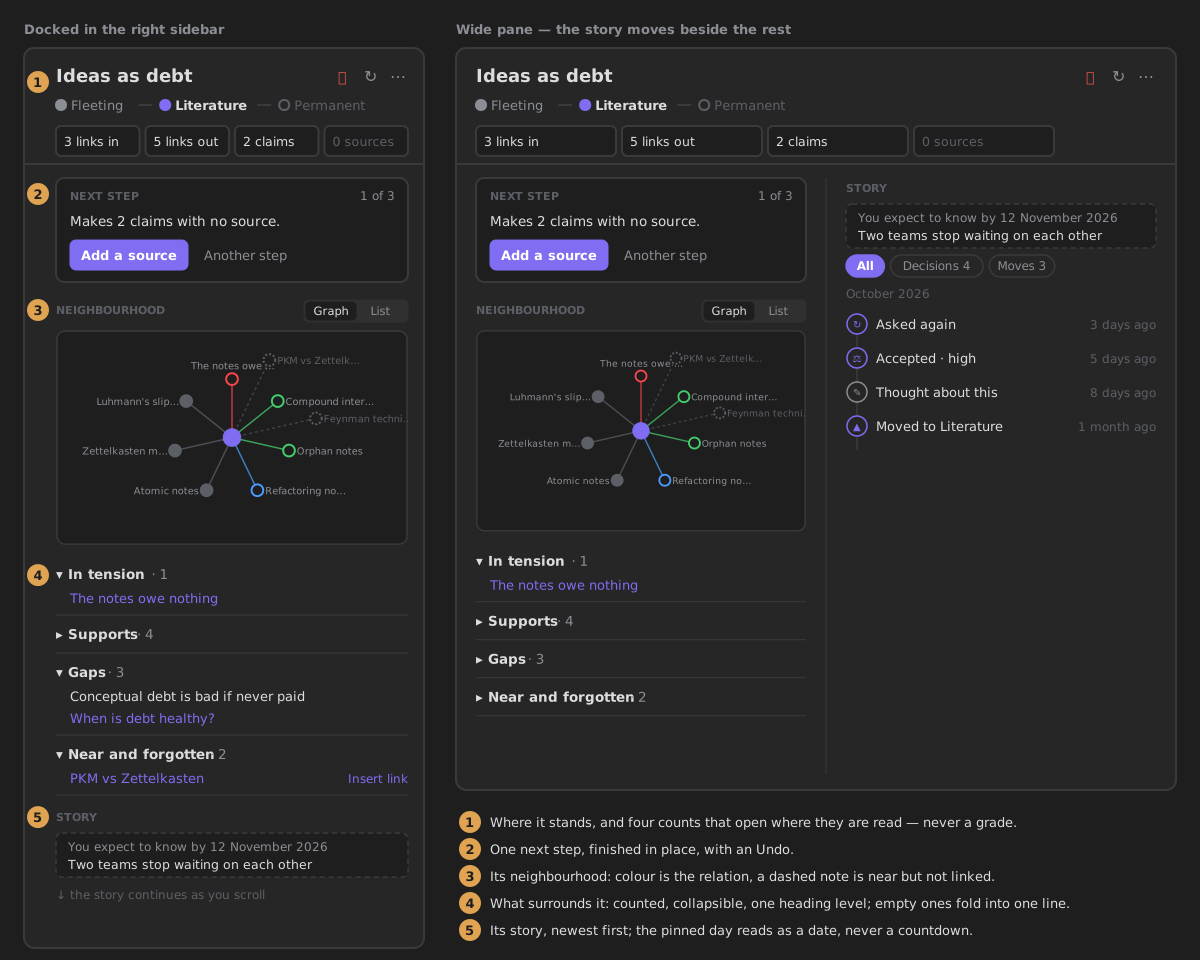
This note, beside every note
Where the note stands, four plain counts, what argues with it, and the one next step — finished in place.
-
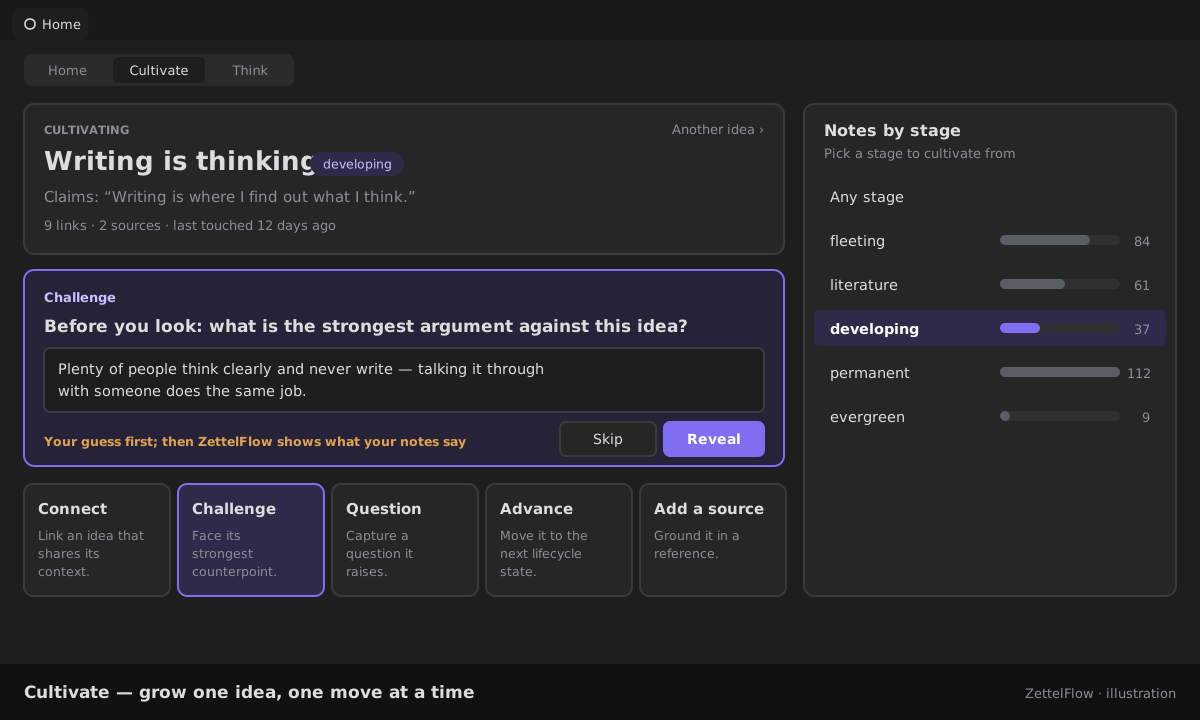
Cultivate an idea
A guided thinking session: connect, challenge, question, advance — one real move at a time.
-
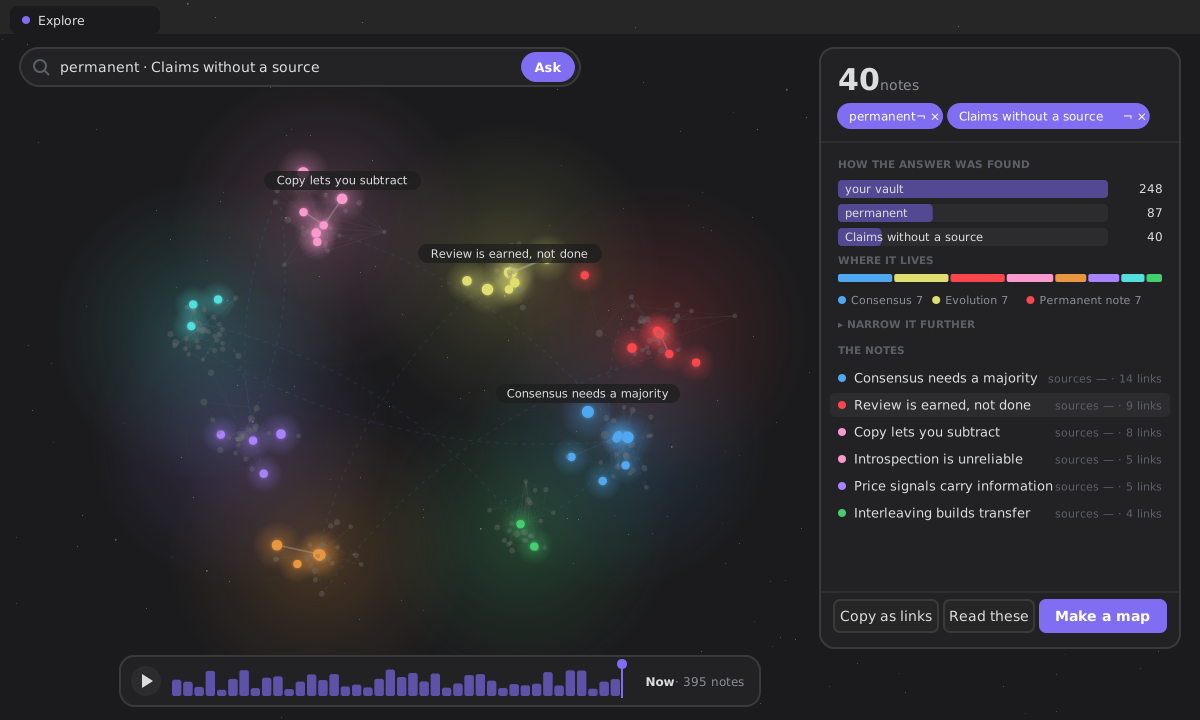
Ask, and the graph answers
Ask in your own words; the answer glows in your graph, and a card says how it was found.
-
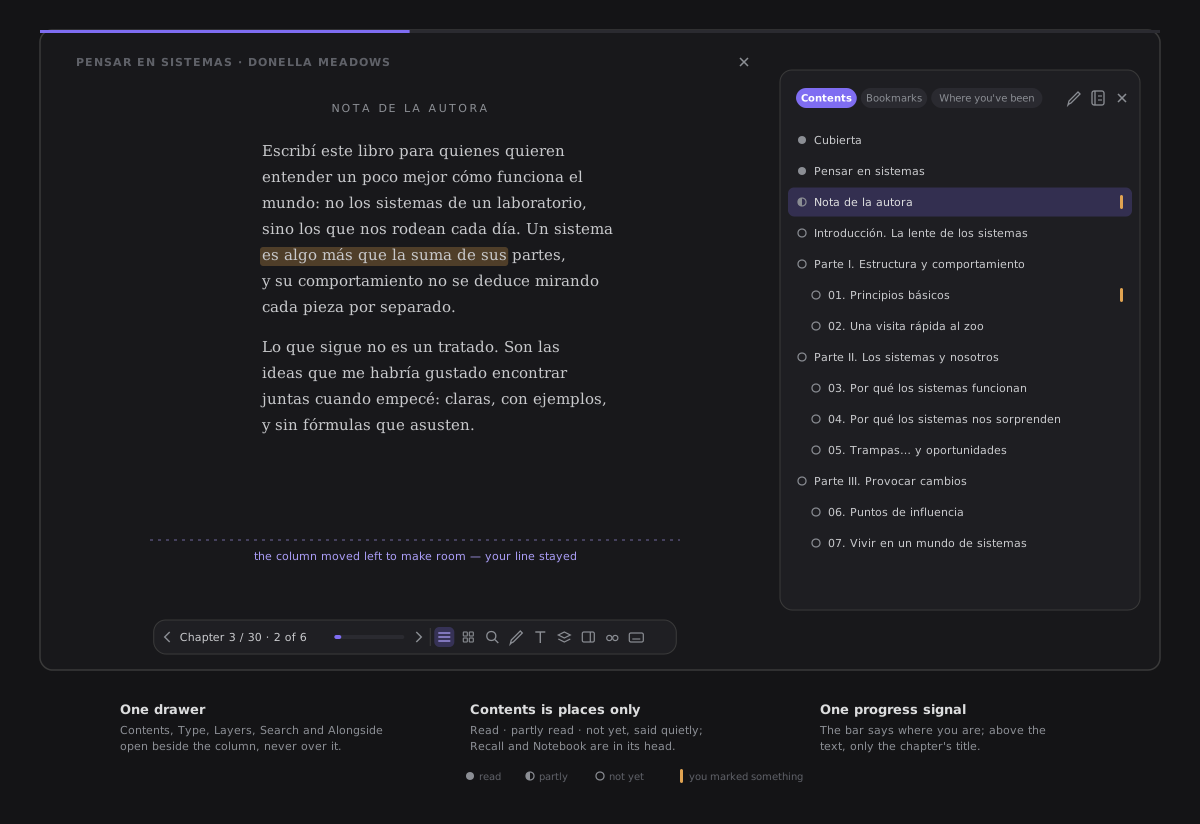
Read your notes like a book
A path through a note and its neighbours, chapter by chapter — highlights into Think that come back for a second look, and an end you can save or export.
-
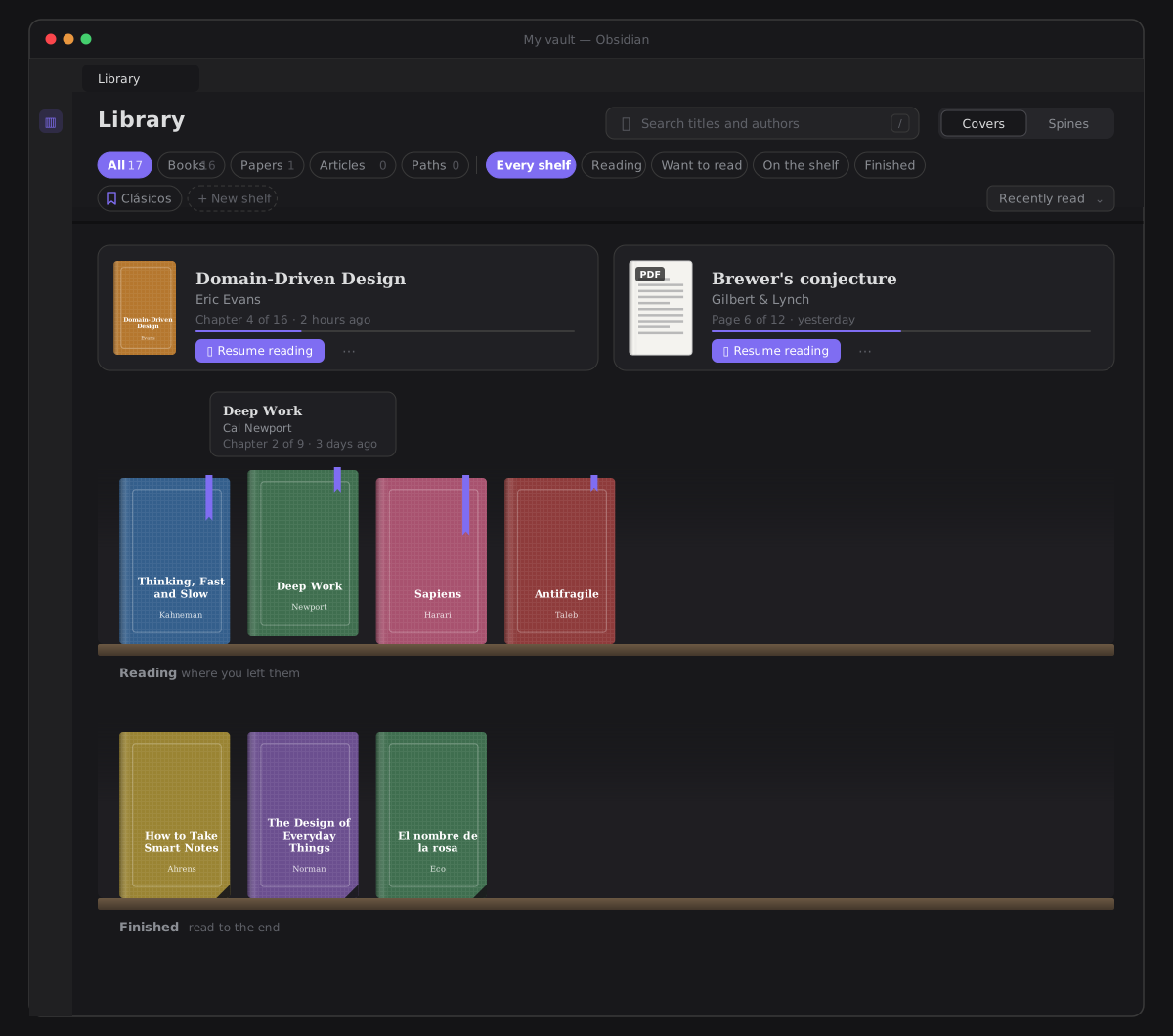
Your library
The PDFs and EPUBs in your vault and your saved paths, on one shelf — with what came of each one.
-
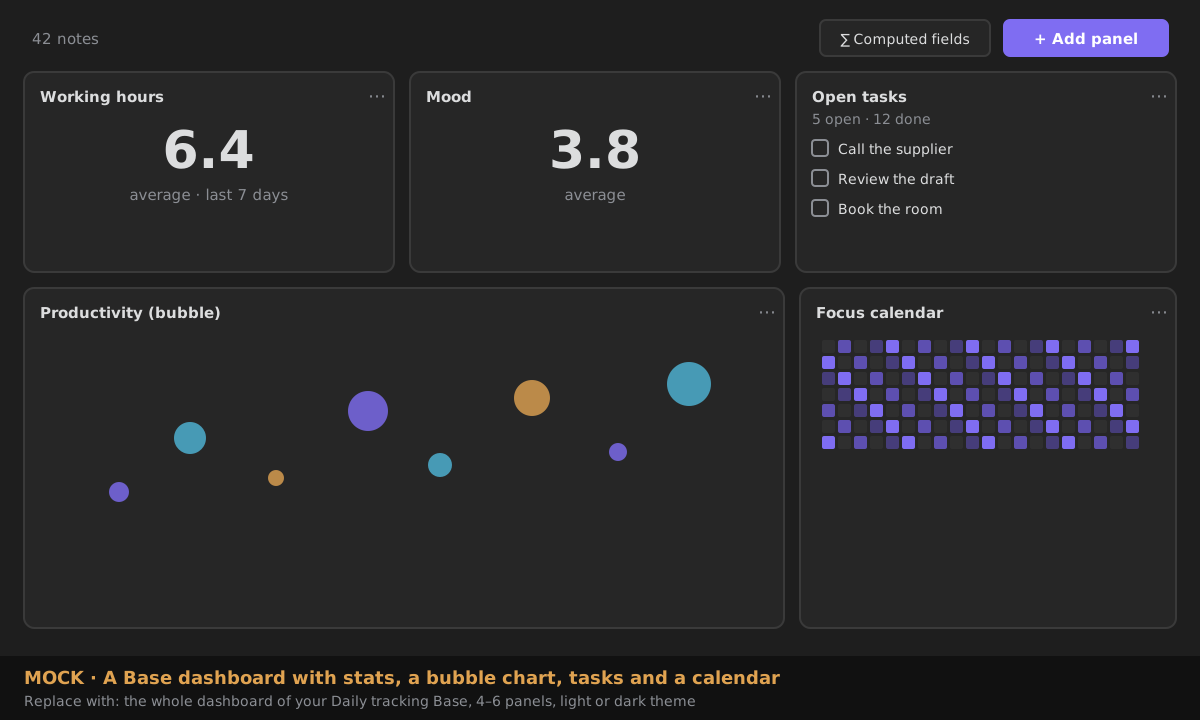
Dashboards for your vault
Chart any Obsidian Base — a local Grafana with no
dataviewjs. -
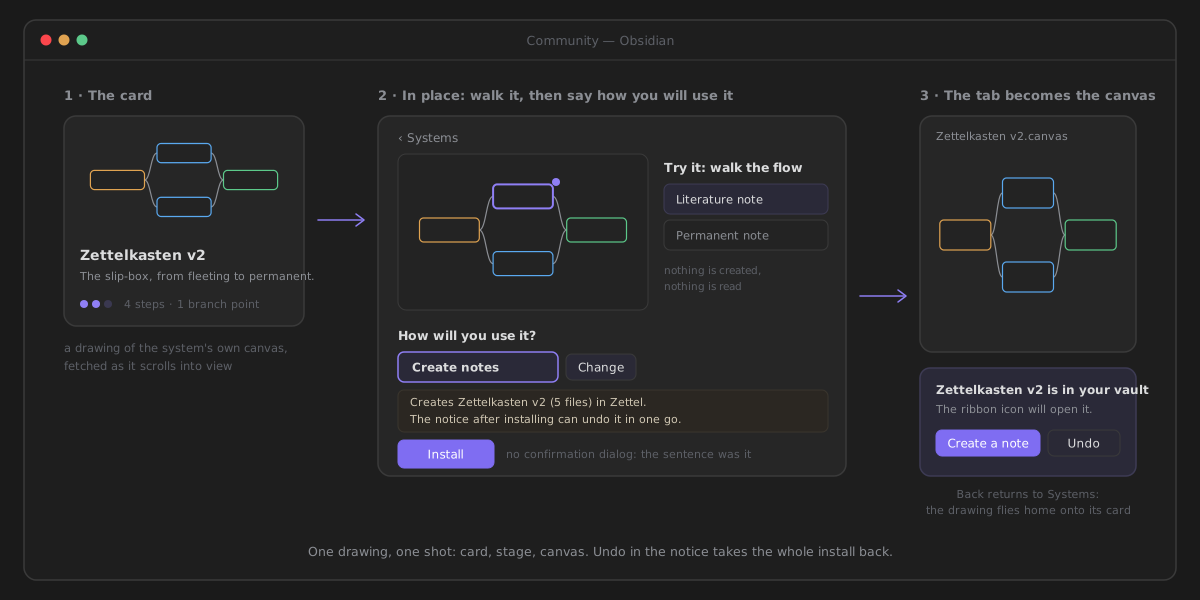
Community: learn it, install a system
A tutorial for every feature, and Zettelkasten, PARA, GTD, research, writing — tried first, installed in one click.
Ways in
Install ZettelFlow from Settings → Community plugins. The ZettelFlow ribbon button opens a menu; every way in starts there.
- Ribbon menu → Create note.
- While no canvas creates notes, press Create the example flow.
- Create note again, and walk the flow it made.
- Ribbon menu → Community.
- Open Systems and pick one — each card draws its flow — then Try it: walk the flow.
- Install: the tab becomes the canvas, and the notice offers Create a note and Undo.
- Right-click a canvas → Use this canvas to create notes → Give it the role.
- Open it → Create the first step. The first step starts the flow on its own.
- Select it → Edit step → Add an action → Ask for text.
- Ribbon menu → Create note.
No setup, no Canvas, no AI.
- Ribbon menu → Cultivate — start a thinking session → From a question of mine…
- State your question, look at what your vault already says, and write a provisional response.
How it works
| Concept | What it is |
|---|---|
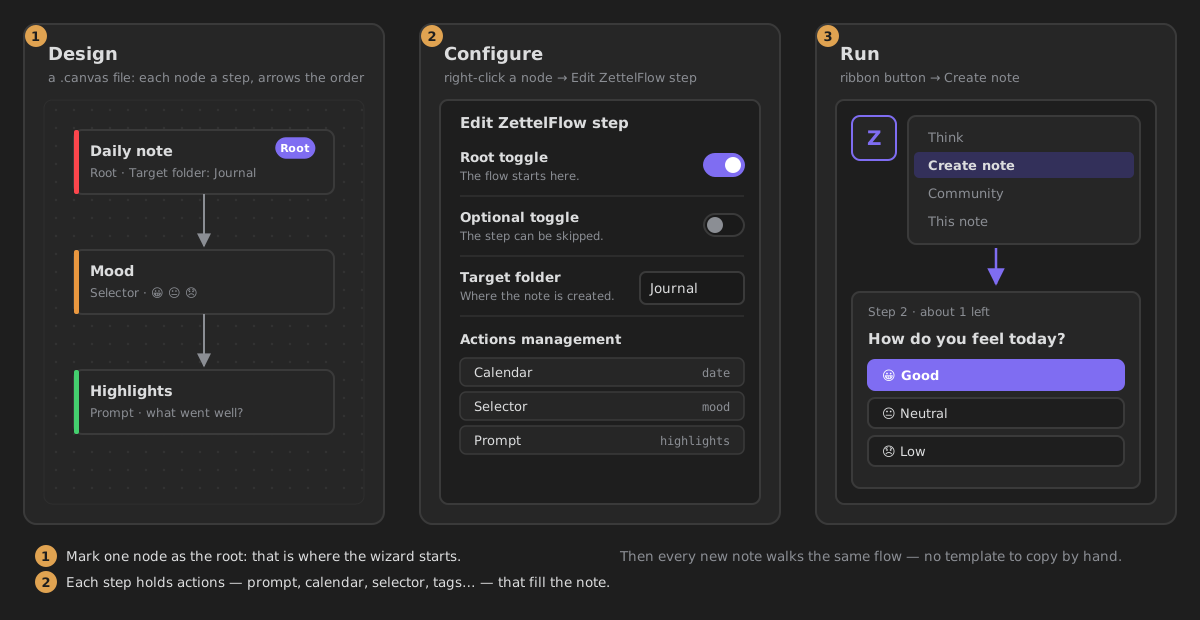
| Canvas | A native Obsidian .canvas file: each node is a step, arrows set the order. |
| Step | A note on the canvas with a target folder, a body template and actions. |
| Action | An interactive part of the wizard — prompt, calendar, selector, tags, script… |
| Conditional edge | An arrow labelled if: <expression> that is skipped when false. |
The map — where each area lives
For the complete, ranked list of every capability, see Everything it does.
- Start — Why ZettelFlow · Get started · FAQ · AI provider setup · Capabilities & privacy
- Think & cultivate — Think · Cultivate · A thought you can be wrong about · Two things far apart · The return of a claim
- One note — This note · The Reader · Your library · Evolution timeline · Evidence map
- Explore — Explore your graph · The graph · Living knowledge map
- Review — Health › Tend · Practice · Second-brain review
- Build flows — Flow roles · Conditional edges · Actions
- Automate & script — Property hooks · Folder automation · Scripting · API reference
- For developers — Architecture overview · Contributing